
The automations that free the most owner hours are online booking, automated reminders, payment capture (including auto-charge) and CRM workflows that keep pet and customer records in one place. Businesses that combine these typically see fewer no-shows, faster payments and hours back each week. The rest of this guide walks through exactly how to set each one up.
TL;DR:
- Combining online booking, automated reminders, and payment capture typically results in the biggest efficiency gains, especially by eliminating repetitive manual tasks.
- Setting up automations involves a step-by-step process including synchronizing calendars, testing refunds, and establishing clear policies before live deployment.
- Most pet businesses can connect their existing tools through no-code platforms like Zapier or Make, but complex integrations may require developer assistance.
- Implementing multi-factor authentication, regular software updates, and backups are essential to maintain data security and comply with privacy obligations.
- Testing automation effects with small batches before full rollout helps identify issues, ensuring smoother transitions and sustained operational benefits.
Table of Contents
- The six automations that save the most time, ranked
- Setting up each automation: steps and quick wins
- Connecting your tools without hiring a developer
- Security and privacy essentials for automated pet businesses
- Practical setup templates from AnimalBooking
- How to choose the right tools and roll them out in phases
- Common challenges and how to work around them
- What efficiency gains look like in practice
- What success actually looks like after automation
- AnimalBooking: a fast way to put these automations in place
- Where these figures and recommendations come from
- Sources
- FAQ
The six automations that save the most time, ranked
Not every automation deserves equal attention in week one. Some pay back within days, others take longer to configure for the time they save. This ranking is based on typical admin load for appointment-based pet businesses and how fast each one is to switch on.
- Online booking: removes phone tag and after-hours enquiries, often saving several hours a week once clients get used to booking themselves.
- Automated reminders (SMS/email): cuts down last-minute cancellations and saves roughly 4 to 6 hours a week previously spent chasing confirmations.
- Payments and auto-charge: collecting deposits or charging cards automatically can save 5 to 8 hours a week in invoice chasing and reconciliation.
- Auto-invoicing: generates and sends invoices the moment a booking is paid, cutting manual bookkeeping.
- CRM workflows: keeps pet notes, vaccination records and client history searchable instead of scattered across notebooks and texts.
- Staff rostering automation: assigns bookings by availability or round robin, reducing double-bookings and scheduling back-and-forth.
Industry experience with appointment-based services suggests that combining online booking with payment capture and timed reminders usually delivers the single biggest jump in efficiency, because it removes the three most repetitive manual tasks at once.
The exact hours saved depend on your booking volume, but the pattern holds across grooming, boarding and clinic-style operations.
Setting up each automation: steps and quick wins
Getting these live doesn't require technical skill, just a methodical run-through. Here's the order that causes the least disruption.
- Turn on online booking first. Embed a booking widget on your website or add a booking button to your Instagram and Facebook pages, then sync it to a single calendar so double-bookings can't happen.
- Set reminder timing and channel. Most pet businesses find a reminder 48 hours out and a second one 3 to 4 hours before the appointment works well; choose SMS, email or WhatsApp reminders depending on what your clients actually respond to.
- Decide your payment flow. Choose between a deposit, full prepayment or auto-charge on the day; comparing deposits and prepayments helps you match the flow to your no-show risk and cash flow needs.
- Test refunds and disputes before you go live. Run a small test transaction through your payment provider, issue a refund and check how a dispute would appear on your end and your bank's, so you're not caught out by a real chargeback later.
- Automate invoicing. Set invoices to generate automatically the moment a booking is confirmed or paid, and reconcile weekly rather than at tax time.
- Build your CRM habit. Add pet-specific fields (breed, temperament, vaccination dates, grooming notes) so every staff member sees the same history without asking the client to repeat it.
- Set up rostering. If you have more than one staff member, configure round robin scheduling so bookings distribute evenly, and set staff permissions so each person only sees what they need to.
- Add blackout dates. Block out holidays, staff leave and fully booked periods using blackout date settings so clients can't book a slot you can't fill.
- Run a live test week. Book a few real or dummy appointments through the whole flow, from booking to reminder to payment to invoice, before rolling it out to all clients.
Pro Tip: Test your full booking-to-payment flow with your own phone number and card before opening it to real clients: it's the fastest way to catch a broken reminder or a misconfigured deposit.
Connecting your tools without hiring a developer
Most pet businesses don't need custom software, they need their existing tools talking to each other. No-code platforms like Zapier or Make let you connect booking data to accounting software, email marketing or spreadsheets without writing code, and are well suited to moving non-sensitive data such as appointment times or service types. For anything that needs to happen the instant a booking changes, a webhook (a real-time trigger from your booking system) works better than a scheduled sync.
AI tools can help too, particularly for the jobs that eat time without needing much judgement.
- Social captions and marketing copy: AI drafting tools speed up writing but should always get a quick human read before posting.
- Review responses: draft replies with AI, then personalise before sending, keeping the tone consistent with your brand.
- Photo editing: batch-editing grooming or boarding photos for social media is a low-risk, high-volume use case.
Before feeding any client data into an AI tool, check the vendor's policy on whether it uses your data to train its models. Government guidance on AI for small business recommends avoiding uploads of identifiable customer or pet owner data unless you've confirmed how that data is handled. A marketing automation checklist is a useful reference if you're building out review requests or email sequences for the first time. As a general rule, use no-code tools for straightforward data movement and only bring in a developer when you need something highly specific, like a custom integration with veterinary practice management software.
Security and privacy essentials for automated pet businesses
Automation means more of your clients' personal information, and their pets', lives in digital systems. Under the Privacy Act 1988, many small businesses have obligations to protect this information, and government guidance on cyber security recommends creating a data register, consolidating where that data lives and backing it up regularly. OAIC guidance adds that you should only collect personal information that's reasonably necessary and build privacy into new systems from the start rather than bolting it on later.
Three controls do most of the heavy lifting, according to the small business cyber security guide: multi-factor authentication, keeping software updated and maintaining backups.
| Control | What it protects | Effort to set up |
|---|---|---|
| Multi-factor authentication | Account logins for booking and payment systems | Low, a few minutes per account |
| Software updates | Known security holes in apps and devices | Low, mostly automatic |
| Regular backups | Customer and pet records, booking history | Low to moderate, one-time setup |
| Access controls | Who on your team can view sensitive records | Moderate, needs role planning |
- Check whether a vendor stores data locally or overseas, and ask directly if you're unsure.
- Ask if the vendor uses your customer data to train AI models, and opt out if that's not something you're comfortable with.
- Look for a contractual commitment to notify you of a data breach within a set timeframe.
Practical setup templates from AnimalBooking
A realistic quick-start path looks less like a project plan and more like a checklist you can finish in one sitting.
- Sign up and choose your business type (grooming, boarding, training, veterinary or mobile).
- Import your existing calendar so current bookings don't clash with new ones.
- Add each service with duration, price and any deposit requirement.
- Turn on automated reminders and pick your default timing (48 hours and 3 hours before is a common starting point).
- Connect your payment processor and test a $1 transaction before going live.
A simple reminder cadence to copy: one reminder at 48 hours, one at 3 hours, and a same-day "on our way" message for mobile services.
Pro Tip: Write your deposit and cancellation policy in plain language before you configure it in software: it's much easier to set up the system correctly when the policy is already decided.
How to choose the right tools and roll them out in phases
The right automation tool depends on your business type as much as your budget. A mobile groomer needs route-friendly scheduling, a boarding facility needs capacity limits per kennel, and a veterinary clinic needs stronger record-keeping for clinical notes.
- Ease of setup: can you go live in under an hour without help?
- Pricing model: subscription, per-transaction fee, or both?
- Security basics: does it offer multi-factor authentication and a clear data policy?
- Industry fit: does it handle recurring bookings, multiple staff and service-specific durations?
- Integration options: can it connect to your accounting or marketing tools?
Red flags worth walking away from: no multi-factor authentication option, a vague or missing data handling policy, and any tool that needs a custom developer build just to send a booking confirmation.
- Pilot one service line first (for example, just grooming appointments) rather than switching everything at once.
- Measure baseline numbers before you start: no-show rate, hours spent on admin, and average payment lag.
- Expand to the rest of the business once the pilot's numbers improve, and keep tracking the same three metrics monthly.
Common challenges and how to work around them
The biggest obstacle isn't usually the software, it's staff and client habits built up over years of phone bookings and paper diaries. Expect some resistance to change how appointments come in, especially from long-time clients who are used to texting the owner directly.
A second common pitfall is turning on too many automations at once. A groomer who switches on auto-charge, new reminder timing and a new CRM in the same week has no way of knowing which change caused a client complaint if one comes in. Rolling changes out one at a time, and giving each a week or two before adding the next, makes problems much easier to trace.
Payment disputes catch people out too. A client who didn't expect an automatic charge can raise a dispute with their bank, which costs time and sometimes a merchant fee. Testing the full refund and dispute process with your payment provider before going live, and stating your charging policy clearly at the time of booking, avoids most of this.
Data migration is the quieter challenge. Moving years of client notes and pet records from a notebook or spreadsheet into a new system takes longer than expected, and skipping it means losing valuable history. Block out a specific afternoon for this rather than trying to do it in spare moments between appointments.
Finally, some owners under-communicate the change to clients. A short message explaining that bookings now happen online, with a link to try it, smooths the transition far more than letting people discover it by accident.

What efficiency gains look like in practice
A mobile dog groomer running a one-person operation typically spends hours each week on the phone confirming appointments and chasing payment after the fact. Switching that workflow to online booking with automatic reminders and upfront deposits removes most of that back-and-forth, because clients confirm and pay before the groomer even arrives.
A boarding facility with multiple staff faces a different problem: manually checking who's rostered on and matching that against incoming bookings. Automated rostering with round robin assignment and blackout dates for public holidays removes the need for a manager to manually check availability before confirming every booking.
A small veterinary clinic often struggles most with no-shows, since missed appointments mean an empty slot that can't be filled on short notice. Automated reminders sent closer to the appointment time, combined with a deposit for first-time clients, tend to reduce the number of people who simply forget to turn up.
Across all three examples, the common thread isn't a single clever feature, it's removing manual handoffs between booking, confirming and paying. Each step that no longer needs a person to remember it is one less thing that can be forgotten or delayed, and the time saved compounds week over week as booking volume grows.

What success actually looks like after automation
Within 30 to 90 days of switching on booking, reminders and payments together, most owners notice the same things: fewer late payments, fewer no-shows and a calendar that fills itself without constant phone calls. The hours saved don't always feel dramatic day to day, but they add up by the end of the month.
If you're not sure where to start, run one experiment this week: turn on automated reminders for your next 20 bookings and count how many still no-show. Test one automation before committing to the whole system, and let the result make the case for the next one.
— AnimalBooking
AnimalBooking: a fast way to put these automations in place
Some platforms bring online booking, automated reminders, payments and customer record-keeping into one system, built for groomers, boarders, trainers, vets and mobile pet services.
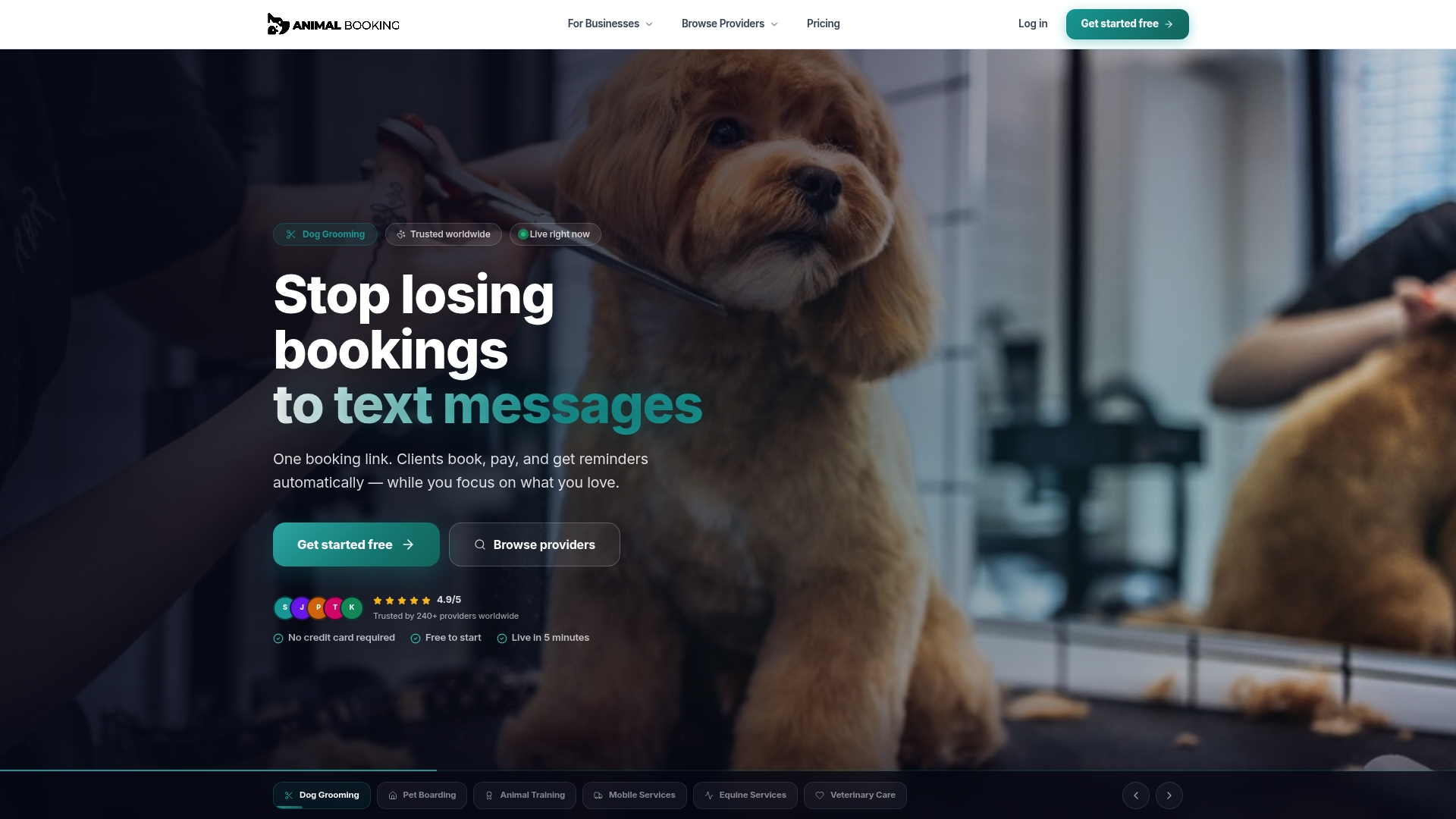
Setup is designed to take minutes rather than days, with a booking form you can embed on your own site or run as a standalone branded page. If you want to see how the online booking and calendar features work for your type of business, the pricing page lays out plans and fees so you can pick what fits before you commit to anything.
Where these figures and recommendations come from
The security and privacy guidance in this article draws on the Australian Cyber Security Centre's small business guide, its guidance on securing customer data, OAIC privacy guidance and AI-specific advice for small business.
Sources
- Artificial intelligence for small business
- Privacy guidance for organisations and government agencies — handling personal information
- Cyber security and your business
FAQ
What are some profitable pet business ideas?
Grooming, boarding, mobile pet services and pet sitting are common starting points because they need relatively low upfront investment and rely heavily on repeat bookings. Profitability generally comes down to how well the business manages recurring appointments and reduces no-shows rather than the service type itself.
What is the best pet sitting software for businesses?
The right choice depends on whether you need booking, payments, staff scheduling or all three in one system. Look for software built specifically for pet or appointment-based services, with multi-factor authentication and a clear data handling policy, such as AnimalBooking's platform.
What are some popular pet technology devices?
Common devices include GPS trackers for dogs, automatic feeders and pet cameras for remote monitoring, alongside software tools like booking and reminder systems for the business side. Most pet businesses combine a booking and payment platform with one or two client-facing devices rather than adopting many at once.
What is the best software for managing pet care?
The best option combines booking, reminders, payments and pet-specific record keeping such as vaccination history and grooming notes in one place. Software built for pet businesses, rather than generic appointment tools, tends to handle these industry-specific fields more completely.
How much does pet business automation software typically cost?
Pricing varies by provider and plan, with some charging a monthly subscription and others a per-transaction fee on payments processed. AnimalBooking, for example, offers plans from $49 per month on its Independent plan up to $299 per month on its Pro plan, alongside platform fees that decrease from 3% down to 1% as you move up in plan tier.