

Pet client notes are the dated, searchable record of everything a pet care business needs to know about an animal and its owner, from medication doses to who's allowed on the property. The single biggest improvement most teams can make is boring but effective: keep one dated timeline per pet, attach every note to the relevant booking, and turn "next-due" dates into reminders rather than leaving them buried in free text.
TL;DR:
- Keeping a single, dated timeline per pet and converting next-due dates into automated reminders improves record retrieval speed and reduces missed treatments.
- Use appointment notes for specific visit details and profile notes for ongoing conditions or instructions to avoid important information getting lost.
- Regularly photograph and upload vet records with dates and details, and link reminders to appointments, to ensure accuracy and prompt follow-up.
- Share concise, vet-essential pet information in a short export or sitter passport, with strict identity verification and link expiration for safety.
- Integrating notes into the booking system and reviewing tagging habits monthly prevents information gaps and streamlines pet care management.
Table of Contents
- How to add and view pet client notes (desktop and mobile)
- Which type of note should you use, and when?
- What to record: a copy-ready template
- Organising, searching and linking notes to bookings
- Sharing notes safely: exports, passports and access limits
- Why timelines and reminders beat long free-text notes
- What we've learned rolling this out with real businesses
- Getting pet client notes working inside your booking system
- Sources
How to add and view pet client notes (desktop and mobile)
Most booking platforms give you two entry points for notes, and picking the right one saves a lot of scrolling later.
On desktop, the fastest path is usually through the day's schedule:
- Open the appointment drawer for the booking in question.
- Click the note icon (often a small speech bubble or pencil) to view existing notes or add a new one.
- Use "view all" to scroll the full history for that pet rather than just the latest entry.
- Switch to the client or pet profile when the note applies beyond a single visit, such as a standing allergy or a gate code.
Appointment notes suit anything tied to a specific visit. Profile notes suit anything that stays true across every visit, like "reactive to men in hats" or "key under the third pot plant."
On mobile, the note icon typically sits inside the appointment card itself or under a "client details" tab. Tap it, type, and save before you leave the property. Waiting until you're back at the van is how details get forgotten.
Before you save any note, run through this checklist:
- Date and timestamp
- Author (name or staff ID)
- Visibility: internal/admin only, or staff-visible
- Attachments (photo, vaccine certificate, discharge summary)
A customer CRM that stores this alongside the booking history stops notes from living in a separate app that nobody checks on the day.
Which type of note should you use, and when?
Not every note belongs in the same field, and mixing them up is how important details get lost in a wall of text. Visit notes and profile notes serve different jobs.
Visit or appointment notes are short and dated. They record what actually happened on that occasion: "Ate half her dinner, refused the second walk, seemed stiff on the left hind leg." One or two sentences, tied to that specific booking.
Profile or persistent notes cover anything that holds true across visits: chronic conditions, house access instructions, feeding routines, behavioural quirks around other animals.
Internal or admin notes are for staff eyes only: billing disputes, a difficult owner interaction, insurance flags. Staff-visible notes are anything a sitter or groomer needs on the day: "Muzzle required for nail trims" or "Owner collects by 5pm sharp."
Getting this split right protects sensitive information while making sure the person actually handling the animal sees what matters.
What to record: a copy-ready template
Vague notes are worse than no notes, because they create false confidence. A few essential fields, filled in consistently, beat pages of loose observation.
Every pet profile should carry these at minimum:
- Emergency contact (name, phone, relationship to owner)
- Vet clinic name and phone number
- Microchip number
- Known allergies
- Current medications, with exact dose and frequency
- Proof of current vaccinations
Every visit note should capture:
- Date and time of the visit
- Who the sitter or groomer actually met at the property
- What was done (walk, feed, medication given, grooming service)
- Appetite and behaviour observed
- Any follow ups needed before the next visit
A one-line-per-field profile summary and a three-sentence visit note are enough for almost every situation. Longer entries tend to get skimmed, not read.
Pro Tip: Photograph prescription labels and vaccine certificates at the moment you receive them, and date the upload immediately. A photo taken at the clinic door is more reliable than a memory of the dosage from three weeks ago, and it keeps the record trustworthy for anyone who checks it later.
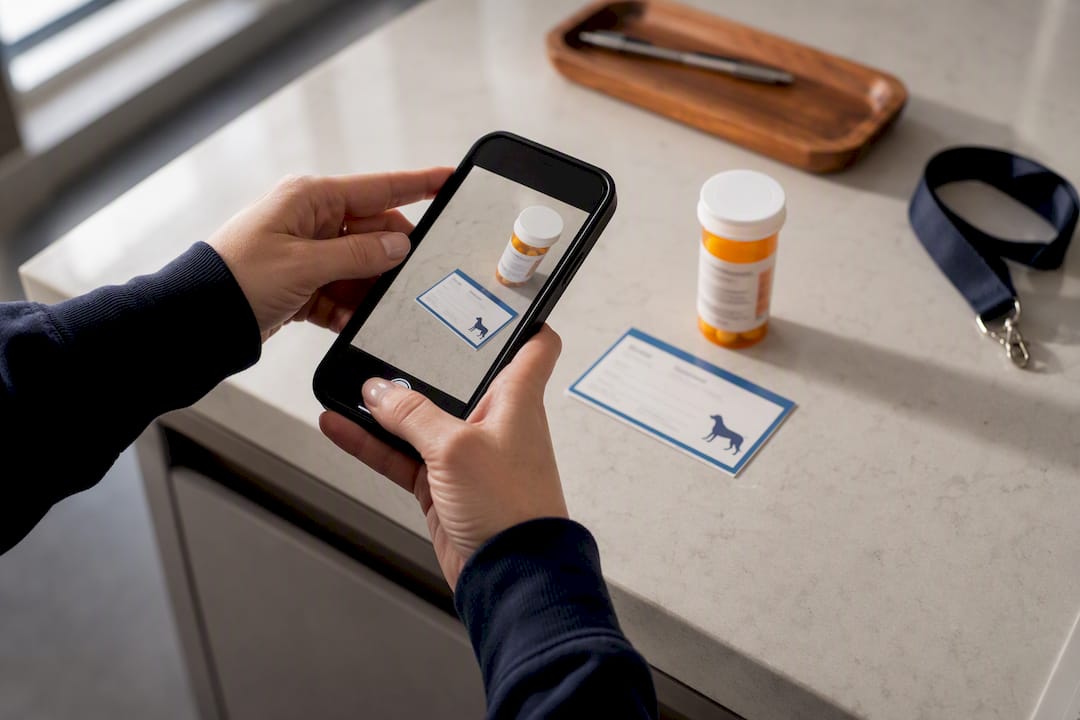
A simple printable pet care schedule template is worth keeping as a paper backup for last-minute bookings when a sitter doesn't have app access.
Organising, searching and linking notes to bookings
A note nobody can find in under a minute isn't doing its job. Structure beats volume every time.
Keep one dated timeline per pet rather than scattering entries across different sections of a profile. Name any uploaded file with a consistent format, like 2026 03 22 vaccine, so files sort chronologically without extra effort. A short controlled vocabulary of tags, such as medication, behaviour, vaccine and emergency, makes filtering fast when a staff member is standing at the door trying to remember whether a dog is due for its heartworm tablet.
The habit that pays off most: convert every "next-due" date into a reminder with roughly a seven-day lead time, rather than trusting anyone to remember it. Link that reminder to the booking calendar so it surfaces automatically instead of relying on someone checking a spreadsheet.
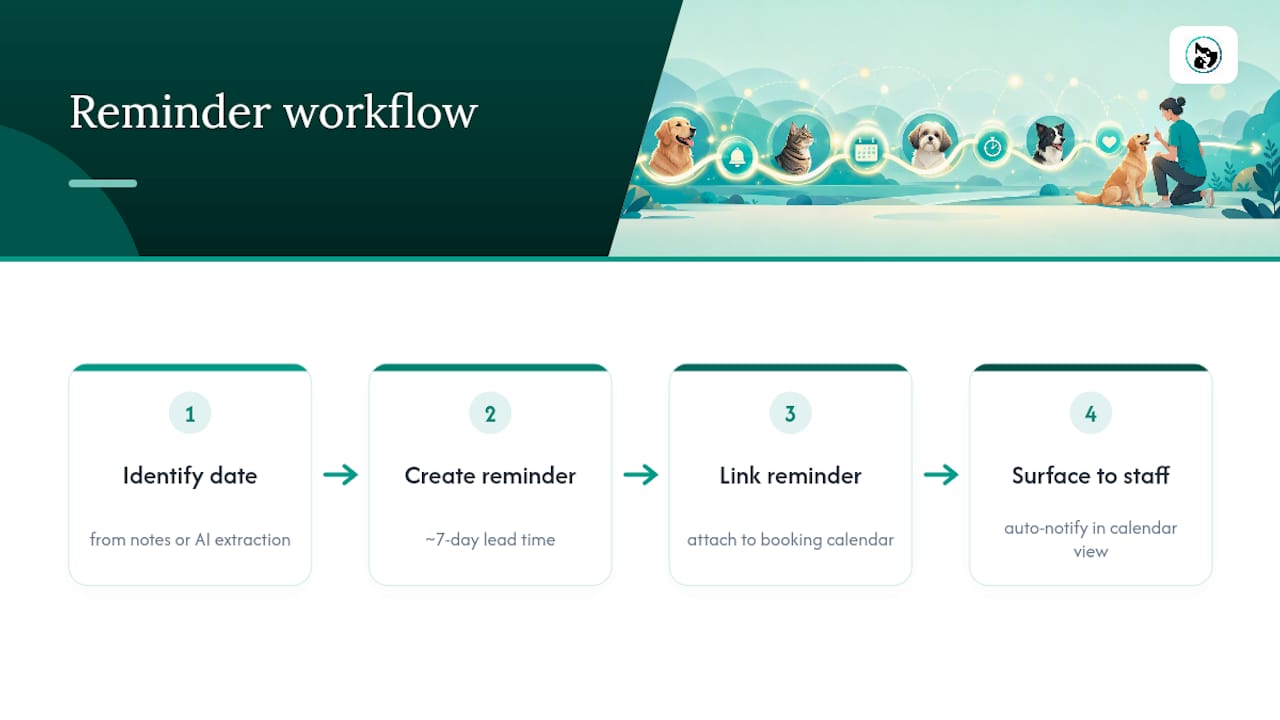
Platforms are increasingly using AI to extract dates, vaccine names and medication dosages directly from uploaded vet documents, cutting down the manual typing that causes most dosage errors and scheduling the follow-up reminder without anyone touching a keyboard.
Sharing notes safely: exports, passports and access limits
Full record dumps are rarely what a recipient actually needs, and they carry more risk than a tighter summary.
Three outputs cover most sharing situations: a full export for the owner, a short read-only "sitter passport" for anyone covering a booking, and a clinic export bundle for a vet referral. The passport should include only what's vet-essential: current meds, allergies, emergency contact, and proof of vaccination, not the entire history of every visit note ever written.
Before sending anything, run through a short checklist:
- Confirm the recipient's identity, especially for a new sitter or relief vet
- Strip billing details and payment information from anything shared outside the business
- Set an expiry on shared links where the platform allows it
A one-page sitter passport typically needs no more than five lines: pet name, emergency contact, current medication and dose, known allergies, and vet clinic details. Concise exports like this consistently work better than full archive dumps for anyone stepping in at short notice.
Why timelines and reminders beat long free-text notes
The evidence on this is fairly consistent across the industry: retrieval speed matters more than how much you've written down. A three-page history nobody has time to read on a Tuesday morning is less useful than three lines that answer the actual question.
Records work best treated as working documents. Prioritise the current, actionable item, not the complete historical archive. Speed of retrieval beats total volume when a decision needs to be made now.
That's the logic behind treating animal health records as working documents rather than as an archive. A vet discharge summary, in practice, should convert into a three-line profile update (medication, dose, recheck date) plus one reminder, not a scanned PDF that sits unopened in a folder. Scanning documents and letting software extract the relevant fields turns that conversion into a couple of taps instead of ten minutes of manual typing.
What we've learned rolling this out with real businesses
Roll this out with your busiest clients first, not your whole list at once. It's easier to fix a broken tagging habit with five pet profiles than with two hundred.
Book a ten-minute review once a month to catch the gaps. The most common failures we see aren't dramatic: tags used inconsistently, notes that go on for paragraphs when three lines would do, or a vaccine certificate uploaded without a date attached to it. None of these are hard to fix, but they compound if nobody checks. Notes only earn their keep when they sit next to the booking and the reminder, not in a separate app nobody opens on the day.
— AnimalBooking
Getting pet client notes working inside your booking system
Notes are only as useful as the system holding them. If they live apart from your bookings, someone still has to remember to check them, and that's exactly the gap that causes missed medications and awkward handovers.

Animal Booking keeps client and pet notes attached directly to the appointment they belong to, inside the same customer CRM that holds contact details, vaccination records and staff permissions. Upload a vet summary once and it sits with the pet's profile for every future booking, not buried in a text thread from three months ago. The smart calendar turns next-due dates into automatic reminders, so a booster or a medication refill doesn't rely on someone's memory. Staff permissions control who sees internal notes versus what's visible to the person actually handling the animal that day.
If you're setting this up for the first time, start small: create one pet profile, upload the most recent vet summary, and schedule your first reminder through online booking. It takes a few minutes, and it's the difference between chasing information on the day and having it ready before the appointment starts.
Sources
- PR Newswire — Vets Central and Vetrec announce strategic partnership to streamline AI-powered documentation across Australia and New Zealand
- Tamadoggo — Pet medical records app