

Embed a booking widget directly into your site rather than redirecting customers to an external scheduling page. Keeping the booking flow on your own domain reduces drop-off, builds trust, and typically lifts confirmed bookings. The next step is straightforward: sign up with a provider, copy the widget code (a script tag or iframe), paste it into an HTML embed block on your page, and then test the full flow in an incognito window before publishing.
Key takeaways
An embeddable booking widget keeps customers on your site, collects payment at the time of booking, and reduces no-shows through automated reminders — the combination that drives the revenue and efficiency gains Animalbooking reports for pet service providers.
| Point | Details |
|---|---|
| Embed inline, not external | Keeping the booking flow on your site reduces drop-off versus redirecting to an external page. |
| Check your plan first | Squarespace requires Core or higher; WordPress.com requires Business plan to allow custom embed code. |
| CSP is the top embed blocker | A blank widget usually means a Content Security Policy is blocking the script; add the provider's CDN to script-src or switch to an iframe. |
| Australian privacy compliance | Collect only necessary data, link a privacy policy from the booking form, and follow the Australian Privacy Principles under the Privacy Act 1988. |
| Animalbooking for pet services | Purpose-built for groomers, boarders, vets, and mobile providers; embed code is ready immediately after account setup. |
Table of Contents
- What does a booking widget do for your website?
- What features should you prioritise in a booking widget?
- Which website builders support embedding a booking widget?
- How do you get the widget code and embed it on your site?
- Calendar sync, payments, and reminders for Australian businesses
- Customisation, branding, and UX tips
- How do you test and troubleshoot a booking widget?
- Why Animalbooking suits Australian pet-service websites
- How do you protect booking data and prevent fraud?
- Common limitations of Australian booking platforms and payment processors
- The case for inline over modal: an editorial note
- Animalbooking: built for pet services, ready to embed
- Sources
What does a booking widget do for your website?
An embeddable booking widget is a self-contained scheduling interface — an inline calendar, popup modal, or floating button — that sits inside your existing web page so customers can choose a time, confirm a service, and pay without ever leaving your site.
For pet service businesses, the practical difference is significant. A dog groomer running on a contact form loses bookings every evening when the phone is off. A boarding facility with a "call us to reserve" button loses them to whoever picks up first. An embedded appointment scheduling widget removes that friction entirely: customers book at 11 PM on a Sunday, receive an automated confirmation, and show up.

Aggregate product data shows that inline embeds (native DOM widgets that render directly in the page) can increase on-site booking conversion compared with sending visitors to an external scheduling page. The mechanism is simple: every redirect is a chance to lose someone.
Key benefits for pet service providers:
- Customers complete bookings without leaving your site, reducing abandonment
- Real-time availability prevents double bookings across groomers, kennels, or consult rooms
- Automated confirmations and reminders reduce no-shows without manual follow-up
- Payment collection at the time of booking secures revenue before the appointment date
- Booking data flows into a CRM, giving you a record of each pet and owner
Pro Tip: Place the widget on the page where intent is highest — a dedicated "Book Now" page or directly below a service description — rather than burying it in a footer or contact page.
What features should you prioritise in a booking widget?
Not every widget is worth embedding. Some look polished in demos but fall apart on mobile or lack the integrations that keep your calendar accurate. Here is how to separate the essentials from the extras.
Must-have features:
- Real-time availability: the widget must reflect actual gaps in your schedule, not a static form that creates conflicts
- Two-way calendar sync: Google Calendar and Outlook integration so bookings appear on your working calendar and blocks on your calendar prevent overbooking
- Mobile responsiveness: a large share of Australian pet owners book from their phones; a widget that breaks on a 390px screen loses those bookings
- SSL/HTTPS requirement: the widget must load securely; mixed-content errors on HTTP pages will block it entirely
- Timezone support: critical for any business near a state border or serving clients across multiple time zones
- Accessibility: keyboard navigation, labelled form fields, and ARIA attributes so the widget works for customers using screen readers
- Data export and CRM integration: booking records should be exportable or sync to a customer database automatically
Nice-to-have features:
- Deposits and pre-authorised payments at booking time
- Automated SMS and email reminders
- Multi-staff routing so the right groomer or vet gets assigned
- Promo codes and discount fields
- UTM parameter capture and analytics event firing so you can attribute bookings to specific campaigns
Pro Tip: Before you evaluate any provider, list the tools you already use — your calendar app, payment processor, and any CRM — and confirm the widget integrates with those first. A widget that syncs perfectly with Google Calendar but requires a separate payment gateway you don't use will create more admin, not less.
Which website builders support embedding a booking widget?
Platform compatibility is often the deciding factor before anything else. Many hosted site builders only allow custom HTML or JavaScript embeds on paid plans, and discovering that after you've configured your widget is frustrating.
Squarespace requires a Core plan or higher to add custom JavaScript or embed code via a code block. On lower-tier plans, the code block is unavailable, which means a third-party booking widget simply cannot be embedded. Squarespace's own scheduling block is available on some plans, but for a third-party online booking tool you need the right plan first.
WordPress splits into two distinct products. WordPress.org (self-hosted) gives you full control: paste any script or iframe into a Custom HTML block, install a plugin, or edit the theme directly. WordPress.com restricts custom code to its Business plan and above. Many Australian small businesses use managed WordPress hosting (through providers like WP Engine or SiteGround), which behaves like WordPress.org and allows full embed access.
Wix allows custom code via its Velo developer tools, but only on paid plans. The free Wix plan does not support external script embeds. Shopify supports custom code in theme files and via the Additional Scripts section in checkout settings, though some theme architectures require developer access to place a widget in a specific location.
Webflow gives developers full HTML, CSS, and JavaScript control on all paid plans, making it one of the more flexible options for embedding a reservation widget. Custom-coded sites (plain HTML/CSS hosted on any server) have no restrictions at all.
Pro Tip: Before committing to a booking provider, create a staging page on your live site (or a private draft page) and paste a generic HTML embed block to confirm your plan allows it. A five-minute test saves hours of troubleshooting later.
How do you get the widget code and embed it on your site?
The workflow is the same across most providers: generate the widget, copy the code, paste it into your page, and verify the booking flow end-to-end. Hospitable's documentation describes this stepwise process clearly, and the pattern applies broadly.
- Log in to your booking provider's dashboard and navigate to the widget or embed section (often labelled "Website Widget", "Embed", or "Booking Button").
- Choose your embed mode: inline (renders in the page where you place it), popup modal (triggered by a button click), or floating button (a persistent tab on the edge of the screen). Inline works best for dedicated booking pages; a floating button suits sites where booking is secondary to content.
- Configure the widget: select the service, staff member, or location you want to pre-load. Many providers, including Simple Scheduler, allow configuration via data attributes or query parameters on the embed URL, so you can create service-specific links without building multiple widgets.
- Copy the embed snippet. This is either a
<script>tag (loads asynchronously and renders a native DOM element) or an<iframe>tag (a sandboxed frame). For iframe embeds, Bokun's documentation recommends placing the loader script in the<head>and the container element where you want the widget to appear, so booking sessions persist as users navigate between pages. - Open your website editor and add an HTML or Custom Code block to the target page. Paste the snippet inside that block. Do not paste it into a text or rich-text block — those strip script tags.
- Save and publish the page (or update the draft).
- Run a full test in incognito mode: open the page, select a date and time, complete the booking form, and submit. Check that a confirmation appears on screen, a notification arrives in your dashboard, and the appointment appears in your synced calendar.
Note: your provider's dashboard will supply the actual embed snippet. The code structure above is illustrative of the common script/iframe patterns.
Calendar sync, payments, and reminders for Australian businesses
Getting the widget live is step one. Getting it to work reliably with your calendar, payment processor, and reminder system is where most of the operational value lives.
Calendar sync:
- Connect a two-way sync with Google Calendar or Microsoft Outlook so every new booking blocks that time slot automatically
- Add each staff member's calendar individually if you have multiple groomers or vets; a booking made for one staff member should not appear as available for another
- Set your business timezone explicitly in the provider's settings. Australia spans five time zones (AEST, AEDT, ACST, AWST, and ACDT during daylight saving), and a default UTC setting will show wrong availability to customers in a different state
Payments:
Stripe and PayPal are the most common integrations and both operate in Australia. Stripe settles to Australian bank accounts in AUD, typically within two business days. PayPal settlement times vary. Neither processor applies GST automatically on your behalf; if your business is registered for GST, you need to configure your pricing to include it or display it separately, and issue tax invoices as required under Australian Tax Office rules. Refund policies should be stated clearly in the booking confirmation, as Australian Consumer Law gives customers rights that override a "no refunds" policy in certain circumstances.
Reminders and no-show reduction:
Animalbooking's auto reminders can cut no-shows significantly. Email reminders are low-cost and should be sent 24–48 hours before the appointment. SMS reminders have a higher open rate but carry per-message costs that add up for high-volume businesses.
Pro Tip: Test your reminder timing with a real booking before going live. A reminder sent four hours before a 7 AM grooming appointment arrives at 3 AM — not useful. Set reminders to fire at a sensible hour relative to the appointment time, not just X hours before it.
Customisation, branding, and UX tips
A widget that looks foreign on your site undermines the trust you've built with your branding. Most providers give you enough control to avoid that.
Design basics:
- Match the widget's accent colour to your primary brand colour; most providers expose a colour picker or accept a hex value
- Use the same font family if the widget supports font configuration; if not, choose a neutral sans-serif that doesn't clash
- Inline widgets suit dedicated booking pages; modal popups work better on service description pages where you don't want the calendar dominating the layout
UX dos and don'ts:
- Reduce required fields to the minimum: name, contact, service, and time. Every extra field is a reason to abandon
- Show service duration and price clearly before the customer selects a time slot; surprises at the payment step cause drop-off
- Where your provider supports it, surface staff photos and short bios so customers can choose their preferred groomer or vet. For a pet boarding business, a photo of the carer builds confidence before the first visit
- Write short microcopy for the cancellation policy directly in the booking form, not buried in a separate page
Accessibility:
Keyboard navigation must work throughout the booking flow: tab through fields, select dates with arrow keys, and submit with Enter. Form fields need visible labels (not just placeholder text, which disappears on focus). If your provider generates the widget HTML, check that aria-label and aria-required attributes are present on inputs. The Web Content Accessibility Guidelines (WCAG) 2.1 Level AA is the benchmark Australian government sites follow, and it's a reasonable standard for any public-facing booking form.
Pro Tip: If your provider supports UTM parameter pass-through, add UTM tags to the booking page URL in your ads and social posts. When a booking completes, you'll know which campaign drove it — not just which page.
How do you test and troubleshoot a booking widget?
Most embed problems fall into three categories: the widget doesn't appear, it appears but doesn't function, or it shows wrong times. Each has a quick diagnostic path.
Testing checklist:
- Open the page in an incognito window (no cached scripts, no logged-in sessions) and confirm the widget renders
- Open the browser's developer console (F12) and check for red errors; a blocked script or a mixed-content warning will appear here
- Complete a full test booking: select a service, pick a date, enter contact details, and submit. Confirm the booking appears in your provider dashboard and in your synced calendar
- Test on a mobile device (or use browser responsive mode at 390px width) to verify the widget doesn't overflow or truncate
Common errors and fixes:
- Blank widget / script blocked: a Content Security Policy on your server is blocking the widget's script. Hospitable's documentation notes that the fix is to add the widget provider's CDN hostname to the
script-srcdirective in your CSP header. If you can't edit the CSP, switch to an iframe embed instead - Mixed content warning: your site is on HTTP, not HTTPS. Most widget scripts refuse to load on insecure pages. Move your site to HTTPS (free via Let's Encrypt on most hosts) before embedding anything
- Widget appears but shows no availability: your calendar sync hasn't completed, or the staff timezone is set incorrectly. Re-authenticate the calendar connection and check the timezone setting in your provider's staff profile
- Iframe too short or cut off: set an explicit height on the iframe container in CSS, or use the provider's auto-resize script if one is available
Timezones and daylight saving:
Australia's daylight saving transitions (Queensland doesn't observe it; South Australia and New South Wales do, on different schedules) can shift displayed availability by an hour for customers in different states. After each DST transition, run a test booking from a different state's timezone to confirm slots display correctly.
Why Animalbooking suits Australian pet-service websites
Animalbooking is built specifically for pet service providers — dog groomers, boarding facilities, mobile services, vet practices, and equine professionals — rather than being a generic scheduling tool adapted for the category.
Core features relevant to embedding and operations:
- Embeddable booking forms that can be placed on any website with a standard HTML embed block
- Smart Calendar with two-way sync and multi-staff support, so each groomer or vet has their own availability managed automatically
- Customer CRM that captures pet details, owner history, and booking notes from the first widget interaction
- Automated reminders via email and SMS to reduce no-shows
- Online payment deposits collected at booking time, with support for Stripe
Setup takes a few minutes: create a provider account, configure your services and staff, and the embed code is ready to copy.
For dog groomers and mobile service providers, the marketplace exposure is an additional channel: your business appears to pet owners searching for services in your area, separate from your website widget.
How do you protect booking data and prevent fraud?
A booking widget collects personal information — names, contact details, pet records, and payment data — which makes security a practical obligation, not an afterthought.
Data in transit: confirm your provider uses TLS 1.2 or higher for all data transmission. Any widget loading over HTTP (not HTTPS) exposes customer data in transit. This is also what triggers mixed-content browser warnings.
Payment security: never handle raw card numbers through your own server. Use a provider that integrates with PCI-DSS-compliant processors (Stripe and PayPal both are). The card data goes directly to the processor; your server never touches it.
Access controls: use strong, unique passwords for your booking dashboard and enable two-factor authentication if the provider supports it. Limit staff access to only the functions each person needs.
Fraud prevention: require a deposit or pre-authorisation for high-value bookings (overnight boarding, multi-session packages). This deters fraudulent bookings and protects revenue. Monitor for unusual booking patterns — multiple bookings from the same IP in a short window, or bookings with mismatched contact details.
Data retention: don't keep customer data longer than you need it. Most booking platforms let you set data retention periods or export and delete records on request.
Common limitations of Australian booking platforms and payment processors
A few constraints come up repeatedly for Australian businesses that are worth knowing before you commit to a provider.
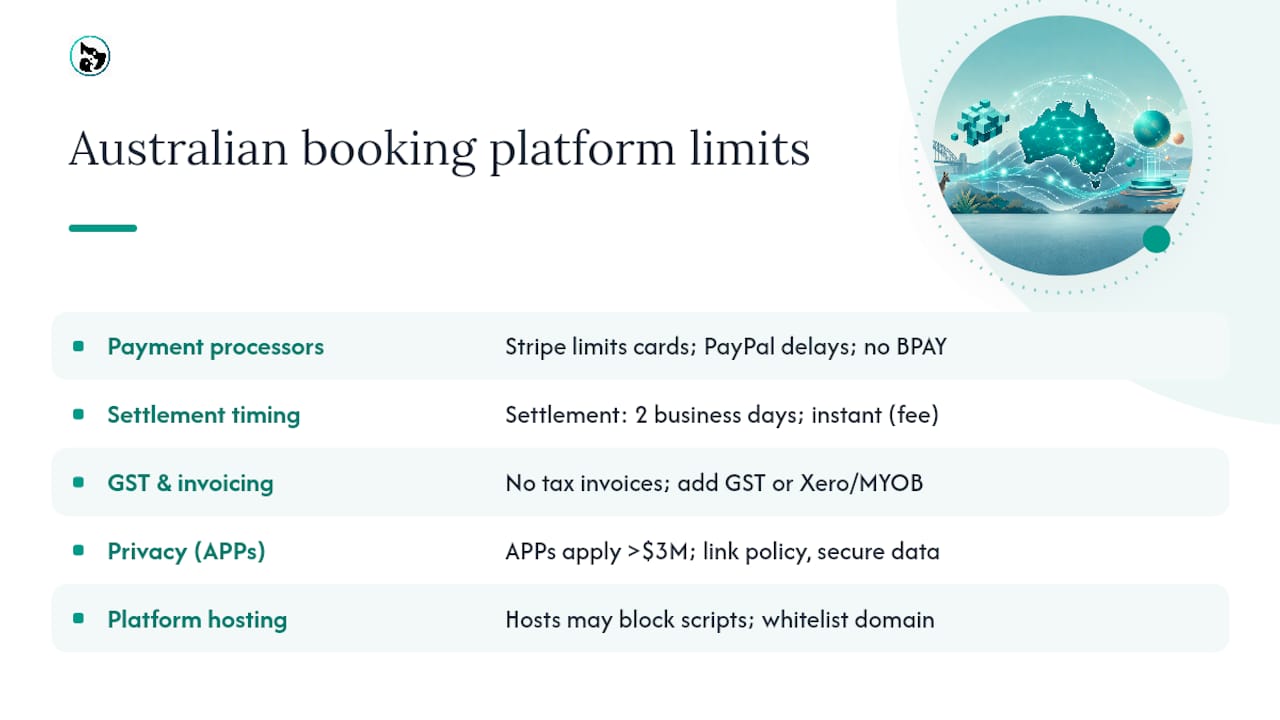
Payment processor limitations: Stripe in Australia does not support all card types equally, and some international cards may decline. PayPal's business account in Australia requires identity verification that can take several days, delaying your ability to accept payments through a new widget. Neither processor supports BPAY as a payment method through a booking widget.
Settlement timing: Stripe's standard settlement to an Australian bank account is two business days after a transaction. If your cash flow depends on same-day settlement, this is a constraint to plan around. Some providers offer instant payouts for an additional fee.
GST and invoicing: Australian booking platforms generally don't generate tax invoices automatically. If your business is registered for GST, you'll need to either configure your platform to include GST in displayed prices and issue compliant invoices separately, or use accounting software (Xero or MYOB integrate with several booking platforms) to handle this.
Australian Privacy Principles (APPs): under the Privacy Act 1988, businesses with an annual turnover above $3 million (and some smaller businesses in specific sectors) must comply with the APPs when collecting personal information through a booking widget. This includes having a privacy policy linked from the booking form, collecting only the information you need, and storing data securely. Even if your turnover is below the threshold, following the APPs is good practice and builds customer trust.
Platform-specific constraints: some Australian-hosted website builders restrict the domains from which scripts can load, which can conflict with a widget provider's CDN. If you're on a managed hosting plan with a strict CSP, confirm with your host that the widget provider's domain can be whitelisted before signing up.
The case for inline over modal: an editorial note
The conventional advice is to use a popup modal because it "doesn't interrupt the page." That's worth questioning. For a pet service business where booking is the primary action on the page, a modal adds a click and a layer of uncertainty — customers aren't always sure the popup will appear, especially on mobile where popups can be partially obscured by browser chrome.
An inline widget on a dedicated booking page removes that ambiguity entirely. The calendar is there, the customer books, done. The conversion data supports this: keeping the booking flow on-site and visible without an extra trigger step reduces the cognitive load at the moment of commitment.
The mistake most small business owners make is embedding the widget on the homepage and expecting it to carry the whole site's conversion. A homepage serves multiple audiences. A dedicated booking page, linked prominently from the navigation and from every service description, gives the widget the context it needs to convert. Test both placements with real traffic before deciding; the right answer depends on your site's structure and your customers' behaviour.
Animalbooking: built for pet services, ready to embed
Pet service businesses in Australia have a specific set of needs that generic scheduling tools don't address well: per-pet booking records, breed and service-type fields, mobile groomer routing, and payment deposits that hold a boarding slot. Animalbooking is built around those requirements from the ground up.

Getting started takes a few minutes. Create a provider account at Animalbooking for providers, configure your services and staff availability, and the embed snippet is ready immediately. Paste it into your site's HTML block, run a test booking, and you're live. The provider dashboard shows every reservation as it comes in, with customer and pet details attached.
Check the pricing page to confirm which plan fits your volume and feature requirements, particularly if you want payment deposits or multi-staff scheduling from day one.
Sources
These are the primary sources to open when you're working through each stage of embedding and testing.
- Adding online booking to your site – Squarespace Help Center
- How to Add a Booking Widget to Your Website | Hospitable support
- Embed the Simple Scheduler booking widget | Simple Scheduler
- How to embed a booking widget | Bokun docs
- Booking Widget for Your Website | skdul