
A custom domain means your clients book at an address you own, like book.yourgroomingstudio.com.au, instead of a web address that carries a software company's name. For a groomer, boarder, mobile vet, trainer, behaviourist or dog walker, it is the quickest way to make the booking step look like part of your business. Our booking website is built so you can launch a fully branded booking site on your own domain, and this guide covers what you need to know before you do it: which address to pick, which DNS records are involved, what it costs in Australia and how to check it works.
TL;DR
- Use a subdomain such as book.yourbusiness.com.au. It needs one DNS record and leaves your existing website untouched.
- Expect one CNAME record, sometimes a second TXT record to prove ownership. Changes usually show within an hour, but can take up to a day or two.
- Budget roughly A$10 to A$40 a year for the domain itself. A .com.au needs an ABN, ACN or Australian trade mark.
- Test on your phone, on mobile data, with a real booking and a deposit before you share the link.
- A branded address helps no-shows only if clients trust it and recognise it, so put it on reminders, socials and your Google profile.
Table of Contents
- What a custom domain does for a pet business
- Subdomain or root domain: which should you use?
- What you need before you start
- How to connect a custom domain, step by step
- What it costs in Australia
- Test it like a client would
- If the address does not load
- Getting the benefit once it is live
- Where we come in
- Our view: the address is part of the service
- FAQ
- Sources
What a custom domain does for a pet business
Most booking software gives you a default link. It works, but it sits on someone else's address. Clients tapping a link in a text message from a business they have never heard of are right to hesitate, and that hesitation is exactly what you do not want at the moment they are about to pay a deposit.
A custom domain fixes that. The address shows your name, the page carries your logo and colours, and the booking feels like a continuation of your website, Instagram bio or van signage. Software providers describe it as brand consistency across the booking page, customer portal and staff app rather than just a shorter link, and that is the right way to think about it. It is a trust signal first and a tidy URL second.
This matters most for:
- Dog groomers and mobile groomers, whose clients book from a text or Facebook link and often pay a deposit on the spot.
- Pet boarders and doggy daycares, where owners are handing over an animal and want to know the booking is genuinely with you.
- Mobile vets, equine trainers and behaviourists, whose clients vet the business online before they commit.
- Dog walkers, who often have no website at all, so the booking address becomes the website.
If you already have a website, the booking page can sit alongside it. If you do not, a branded booking site on your own domain can be the whole online presence. Our booking website feature is built for that second case.
Subdomain or root domain: which should you use?
These two terms trip up most people, so here they are in plain words.
- Your root domain is the main address you registered, for example yourbusiness.com.au.
- A subdomain is a prefix added to it, for example book.yourbusiness.com.au or bookings.yourbusiness.com.au.
The case for a subdomain
If you already have a website at your root domain, pointing the root at a booking platform would replace your site. A subdomain avoids that: one booking provider's guide notes that a subdomain is the better choice when your main website already uses the root domain, because the booking page lives at the subdomain while the root address stays your website.
A subdomain is also the lighter job technically. Booking platforms commonly recommend it because it needs only one setting, while a root domain involves extra steps on the provider's side.
For almost every groomer, boarder or walker, the answer is a subdomain. Good names are short and obvious: book, bookings or appointments. Avoid anything clients might mistype, such as hyphens or an unusual spelling.

When a root domain makes sense
Use the root domain only if the booking page is your whole online presence and you have no existing website or email tied to that address. Note that email is a reason for caution: changing records on a root domain can interfere with the records that deliver your email, so check what is already there before you change anything.
A third option: embed instead
You do not always need a separate address. Many pet businesses simply add a Book Now button or embed the booking form inside a page on their existing website. That keeps clients on your site and needs no DNS work at all. A custom domain is the better fit when you want a standalone booking site, a clean link to put in texts, reminders and social bios, or a page that works without any website behind it. Our online booking feature covers the embeddable booking form for the first approach.
What you need before you start
Gather four things first and the rest takes minutes.
- A registered domain name. If you do not own one, you will need to buy it from a registrar (a company accredited to sell domain names).
- Login access to where your DNS is managed. This is usually the registrar, but can be your web host or whoever built your site. If a web designer set things up, ask them for access rather than guessing at passwords.
- A decision on the address. For example book.yourbusiness.com.au.
- Your booking software account, where the platform shows you the records to copy.
About DNS: it is the internet's address book. It tells browsers which server to visit when someone types your address. "Records" are the entries in that book, and you edit them in a control panel at your registrar or host.
How to connect a custom domain, step by step
The exact screens differ between platforms and registrars, but the sequence is the same everywhere.
Step 1: Choose the address in your booking software
In your booking account, find the domain or website settings, pick the page you want to put on your own address, and enter your chosen subdomain. The platform will then show you the DNS records to add. With our booking website, the goal is a branded site on your domain, and we put the typical time to go live at 10 to 15 minutes.
Step 2: Add the CNAME record
A CNAME record is an alias: it says "this address is really that address". For a subdomain, booking providers typically ask for one CNAME, with a host such as book and a target supplied by the platform. Copy the target exactly as shown.
Three common slip-ups here:
- Adding your full address in the host field. Many control panels append your domain automatically, so book.yourbusiness.com.au can end up as book.yourbusiness.com.au.yourbusiness.com.au. Enter just book.
- Different labels for the same thing. Control panels may call the host field Name and the destination Value, Points to or Target. They are the same fields.
- Creating a duplicate. If a record for book already exists, edit it rather than adding a second one.
Step 3: Add the TXT verification record, if asked
Some platforms also ask for a TXT record, a short piece of text that proves you control the domain. Copy the name and the unique code exactly. Neither record changes how your existing website or email behaves, as long as the names differ from records already in use.
Step 4: Wait for verification
Save the records, return to your booking software and run its check. Provider guidance varies from a few minutes to up to 24 hours. That spread is normal, because DNS changes spread across the internet unevenly. A registrar's explainer says CNAME changes take anywhere from zero to 24 hours, and that planning for up to 48 hours is the safe approach for every visitor to see the change.
Step 5: Confirm the padlock
A secure address starts with https and shows a padlock in the browser. Booking platforms typically issue the certificate themselves once they detect your DNS records, and one guide says it turns on HTTPS automatically for a connected address. You should not need to buy a certificate for a booking page. If the padlock is missing after the records verify, give it a little longer before changing anything.
What it costs in Australia
The domain is the only real cost, and it is small next to the value of a booking page clients trust.
| Item | Typical cost | Source |
|---|---|---|
| .com.au domain, annual renewal | A$15 to A$40 | PSOS, March 2026 |
| .com domain, annual renewal | A$15 to A$25 | PSOS, March 2026 |
| .com.au or .au registration | A$10 to A$30 a year | Digital Junction, 2026 |
| SSL certificate for a website generally | Often free, or A$50 to A$200 a year | PSOS, March 2026 |
These are published estimates for their stated periods, not quotes, and prices vary by registrar, so compare two or three before you buy. Renewal can differ from the first-year price, so check both at checkout. Since a booking page uses a certificate issued through the platform, the SSL line mainly applies if you also run a separate website.
Who can register a .com.au
A .com.au is for businesses with an Australian connection. You need an active ABN, ACN or Australian trade mark, and the name must connect to your business: your business or personal name, an acronym, a trade mark or a service you offer. A name like yourtownmobilegrooming.com.au generally fits as a service you offer. If you are a sole trader with an ABN, you qualify.
A .com.au tells Australian clients you are local, which suits a mobile groomer or a regional boarder whose customers search by suburb or town. A plain .com works too, but the local extension carries a small trust advantage with Australian pet owners.
Test it like a client would
A custom domain that half works is worse than none. Before you share the address, run through this list.
- Open it on your phone using mobile data, not your home Wi-Fi. Most pet owners will arrive from a text or an Instagram link on a phone.
- Try both http and https versions. Both should end up on the secure page.
- Make a test booking for a service you offer, including a deposit if you take them, and cancel it afterwards.
- Check the confirmation and reminder messages. The links inside them should show your domain too.
- Click through from your website and socials, so the Book Now button and the bio link both land on the right page.
- Ask someone outside the business to try. A friend or a regular client will find the confusing step in two minutes.
If you want a clean way to see what your clients experience on every step, our bookings dashboard shows incoming appointments as they land.
If the address does not load
Most failures are one of a handful of small errors. Work through them in this order.
- It has not propagated yet. If the platform's check fails, wait and check again before changing anything. Changing records repeatedly while you wait can slow things down.
- The host field is wrong. See the doubled-domain slip-up above.
- A duplicate record exists. Two records for the same name can conflict. Keep one.
- A forward is stripping the path. If you point an old address at your booking page using a URL forward, make sure it keeps the full path, since links to individual appointments rely on the path being preserved. Forwarding settings differ between registrars.
- Records changed later. If someone later edits your DNS and the records stop pointing to the platform, some systems fall back to the original link until you fix it. This is a good reason to keep a note of what you added and why.
Still stuck? Your registrar's support can read your DNS records with you, and our team can help with the booking side of the setup.
Getting the benefit once it is live
The address only pays off when clients actually use it.
- Put it everywhere a client might look: Google Business Profile, Facebook and Instagram bios, invoices, email signatures, van or shopfront signage and printed cards.
- Use the same address in reminders. Clients who get a reminder from a link on your own domain can recognise it at a glance. Our automatic reminders are how we help you cut no-shows, and a familiar address makes each reminder more credible.
- Keep the address short and speakable. If you tell clients on the phone or in person, book.yourbusiness.com.au is easy to remember.
- Pair it with deposits. A trusted address and an online deposit work together: clients are more willing to pay when the page looks like yours.
- Match your brand. Logo, colours and service names on the page should look like your van, your socials and your printed price list.
For mobile groomers whose customers book from a phone at the kerb, see our mobile pet groomers page. For boarders, our pet boarding page covers the workflow.
Where we come in

We built Animal Booking for animal businesses: dog groomers, boarders, trainers, vets, equine professionals and walkers. Our booking website lets you launch a fully branded site on your own domain, and we put setup at about 10 to 15 minutes to go live. Alongside it, the platform handles payments, automatic reminders, a customer CRM and multi-staff scheduling, so the branded address is connected to the rest of your day.
Plans start with a Starter tier, then Independent at $49 a month, Teams at $149 a month and Pro at $299 a month, with a platform fee on payments processed through the system. The pricing page lists each plan, and the provider fees page shows the fee rates.
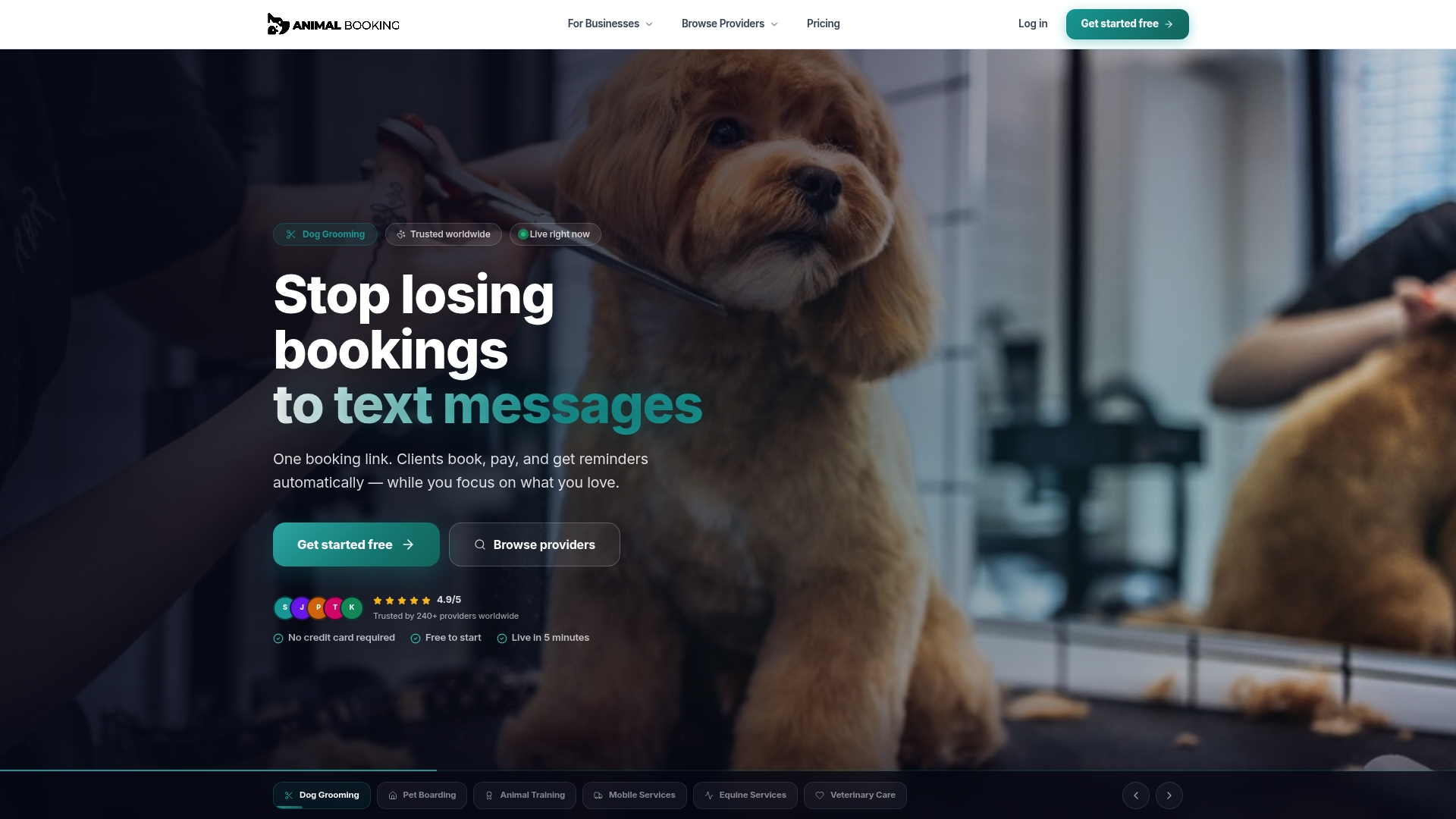
If you are ready to put your booking page on your own address, get started here.
Our view: the address is part of the service
Pet owners hand us something precious: a dog, a horse, a cat that hides under the bed. Before they do, they decide whether they trust the business. That decision starts long before the appointment, and the booking link is part of it.
We built Animal Booking around the idea that a booking page should look and feel like the provider's own business. A page on your own domain, with your branding, tells a new client they are in the right place. It is a small detail that makes the first impression consistent from your Instagram bio to the deposit screen.
That is also why we pair it with reminders, deposits and a customer record in one place. The address gets clients in the door, the reminders get them to turn up, and the deposit shows they mean it. For a groomer or boarder who loses money to missed appointments, those pieces belong together.
Our advice is simple: pick a short subdomain, connect it once, test it from a phone, and then use it everywhere.
AnimalBooking
FAQ
Do I need a website to use a custom domain for bookings?
No. A booking page on its own subdomain can be your whole online presence, which suits dog walkers and new businesses. If you do have a website, a subdomain lets both run side by side without touching your existing pages.
Should I use book.mybusiness.com.au or a separate domain?
A subdomain of your main domain is the better choice for nearly everyone. It keeps your brand in one place, it needs just one record, and clients see the name they already know. A separate domain only makes sense if you want a standalone brand for one service.
How long until my custom domain works?
Often within an hour, but providers quote anything from a few minutes to 24 hours, and a registrar explainer suggests allowing up to 48 hours for every visitor to see the change. Do not edit the records repeatedly while you wait. If it has not worked after a day, recheck the host and target values.
How much does a domain cost in Australia?
Published Australian guides put .au and .com.au registration at roughly A$10 to A$30 a year, with renewals for .com.au at A$15 to A$40. Prices differ by registrar, so check the renewal price as well as the first-year price. A .com.au needs an ABN, ACN or Australian trade mark.
Sources
- Booking Page Address, Resytech Docs
- Use your own web address, Booking Pro Learn
- Your booking link, Mila Help
- Booking Site, Boniquo Docs
- Website Integration Guide, Your Booking
- Ongoing Website Costs in Australia (2026), PSOS
- 2026 WordPress Price Guide for Australian Businesses, Digital Junction
- com.au domain names, auDA
- DNS propagation, Network Solutions