
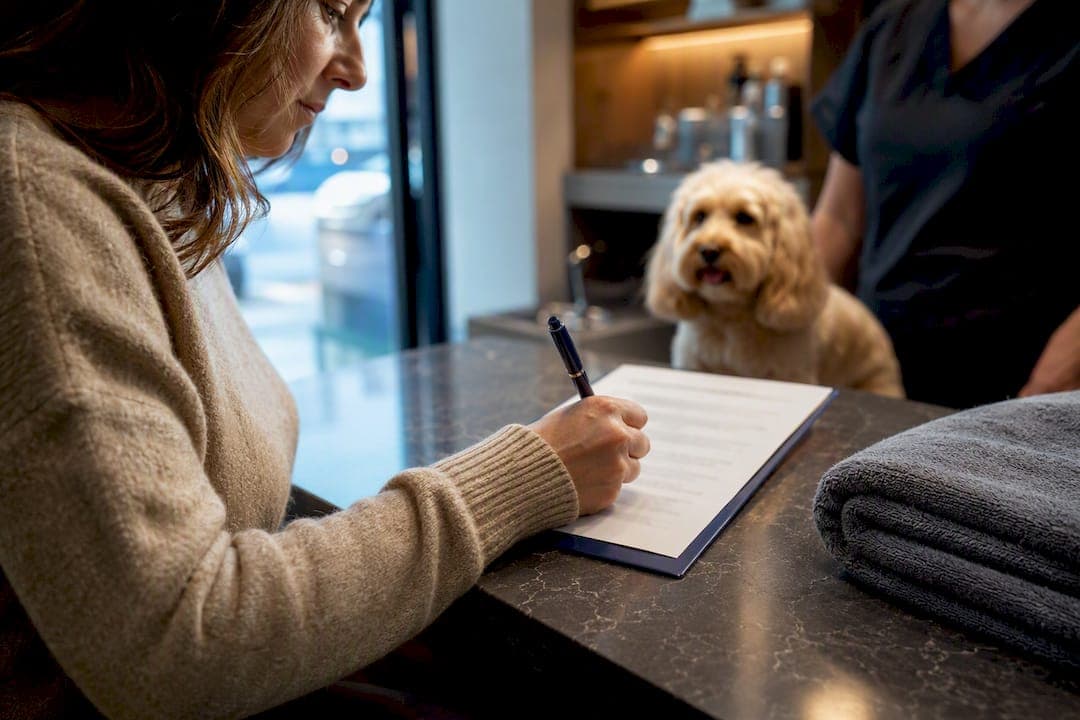
Use a short, separate photo consent form with granular checkboxes and a clear revocation process, signed and stored with the image, not buried in your intake paperwork. Itemise exactly which channels the photo can appear on, spell out how long consent lasts, and give clients a named way to withdraw it. Treat minors and before-and-after images as special cases needing their own explicit, written sign-off.
TL;DR:
- Clear, signed consent forms must specify exact channels, duration, and revocation procedures, and link each image to its signed record for easy retrieval.
- Obtain consent at booking confirmation or via quick digital methods before treatment, avoiding pressure-based asks during or after services.
- Minors, before-and-after images, and group photos require separate, purpose-specific consent from guardians or visible opt-out systems.
- Store signed consent alongside images with timestamps and process withdrawal requests promptly, removing images and metadata immediately upon revocation.
- Integrate consent capture into existing booking systems and review signed records quarterly to prevent outdated or unauthorized images from remaining online.
Table of Contents
- What should a client photo consent form include?
- When should you ask for photo consent?
- Do minors, before-and-after, and group photos need different rules?
- How do you store and revoke photo consent?
- How can booking systems support consent capture?
- Consent as reputation, not just paperwork
- Manage consent without the admin headache
- Sources
- FAQ
What should a client photo consent form include?
A photo release form is a contract, not a courtesy. If it doesn't separate what you're allowed to capture from what you're allowed to publish, it isn't doing its job. Capture consent and publish consent are legally distinct, and assuming one covers the other is one of the most common mistakes photographers and salon owners make.
Build the form around these elements:
- Capture vs. publish split: a checkbox confirming the client agrees to being photographed, separate from a checkbox agreeing to publication or marketing use.
- Named channels: list website, Instagram, paid ads, print portfolio, and third-party syndication as individual line items, not a single "social media" catch-all.
- Identity fields: full name, signature, date, and — where the client is a minor — a guardian's name, relationship, and signing authority.
- Duration and expiry: a stated term (commonly 12 months, until superseded, or ongoing until revoked) with a clear end date or renewal trigger.
- Revocation instructions: a named contact (email or phone) and a stated response timeframe for withdrawal requests.
- Exposure options: full name, first name only, or anonymous; plus a face obscured or cropped option.
- Sensitive image checkbox: a distinct clause for before-and-after or health-related images, with a written statement that treatment is never conditional on signing.
Ethical guidance from PhotoEthics is blunt on this point: consent has to be specific, written, and tied to the actual image, not a vague blanket agreement signed months before the photo exists. Sprintlaw's guidance on Australian release forms backs this up, noting that a revocation clause and a defined duration aren't optional extras. They're what makes the form defensible if a client disputes it later.
Pro Tip: Run your consent form past a checklist test: could a stranger read it and know exactly where their photo might appear, for how long, and how to pull it back? If not, it's too vague to hold up.
When should you ask for photo consent?
Timing matters more than most providers realise. Ask mid-treatment, while a client is half undressed or mid-haircut, and you've created pressure that undermines the whole point of consent. The fix is to move the ask earlier, wherever possible.
- At booking confirmation — attach the consent form to the confirmation email or intake pack, giving clients time to read it without a staff member hovering.
- On arrival, via QR code — for walk-ins or events, a QR code linking to a mobile-friendly form lets clients sign in under a minute, with a paper backup for anyone without a smartphone.
- Post-session, before publishing — never publish until the signature is confirmed; treat this as a hard gate, not a formality.
Event-focused guidance from Eventoly recommends exactly this QR-code approach for capturing consent at scale, keeping every record tied back to its upload source for later auditing. Digital tools like e-signature links do the heavy lifting here, but keep timestamped paper backups for clients who prefer them.
Offer tiers rather than an all-or-nothing tick: portfolio-only, social-only, or full advertising use. Sprintlaw's compliance guide notes that tiered options lift opt-in rates compared with a single blanket checkbox, because clients feel they're choosing rather than surrendering.
A simple staff script helps too: "We'd love to add this to our portfolio; can I get your sign off on which channels you're comfortable with?" Once signed, tag the file immediately, matching the consent record's ID to the image filename or booking reference before it goes anywhere near a folder of unsorted photos.
Pro Tip: Never let a photo sit "temporarily" in a shared drive before consent is filed. That's exactly how the wrong image ends up on a Facebook ad six months later.
Do minors, before-and-after, and group photos need different rules?
Yes, and treating them the same as a standard headshot is where most consent failures start.
- Minors: consent must come from a legal parent or guardian, never the child, and the form should include an expiry or re-consent trigger once the child reaches the age of majority.
- Before-and-after images: these can reveal health information, so they warrant a written, purpose-specific consent closer to a medical authorisation than a marketing tick box. Name the exact channels, not a general "for promotional use" line.
- Group and event shots: pre-event notice, visible signage, and an opt-out marking system (a coloured sticker or wristband, for instance) let attendees flag themselves before the camera comes out. Written consent still applies wherever an individual is clearly identifiable, a point Wikimedia Commons' country-specific guidance reinforces for anyone working across multiple jurisdictions.
- Staff and employment photos: consent is often unreliable in an employer/employee relationship because of the power imbalance, so document a legitimate interest basis instead and keep that justification on file.
On before-and-afters specifically, industry commentary on medical spa consent draws the same line: these images sit closer to health records than portfolio shots, and the paperwork should reflect that.
How do you store and revoke photo consent?
Signed consent that lives in a different folder to the photo it covers is functionally useless the moment someone asks "where's the proof?" Link the two at the point of signing, every time.
- Store with the image record — name files consistently (client ID plus date plus consent status) or link the signed document inside the same database entry or cloud folder as the photo.
- Timestamp everything — the signature date, the session date, and any renewal date all need to be visible at a glance.
- Set a retrieval standard — a searchable record by client name or booking reference should surface the signed form in under a minute, not require digging through email threads.
- Process revocation fast — withdrawal stops future use immediately, but it can't undo screenshots already taken or reposts already made by third parties. Send a written confirmation once the image is pulled down.
- Strip metadata before publishing — remove GPS and device data from image files as a standard pre-publish step, especially for anything showing a client's home or workplace.
Guidance on customer photo consent from Web60 makes a point worth repeating: withdrawing consent should be exactly as easy as giving it, and businesses should act promptly to remove images once asked. Set a renewal cadence, annual or event-specific, rather than treating a signed form as permanent. Stale consents are where most disputes start, often a year or two after the original shoot, when nobody remembers what was actually agreed.
How can booking systems support consent capture?
Paper forms in a drawer don't scale, and that's exactly where most small studios and salons lose track of who agreed to what. Building the consent step into your existing booking flow fixes the two biggest failure points: forgetting to ask, and losing the signed record afterwards.
- Add a distinct consent step to your booking confirmation, separate from general intake, so clients aren't signing it under time pressure at the front desk.
- Use timestamped digital signatures stored directly against the booking record, so retrieval means one search, not a folder hunt.
- Automate renewal prompts so annual or event-specific consents don't quietly expire without anyone noticing.
- Auto-link the signed file to the booking the moment it's submitted, whether that's through a pre-appointment e-sign step or a QR code signed on arrival.
Pro Tip: If your current setup relies on someone remembering to email a form, treat that as a gap, not a workflow. Manual steps are where consent records go missing.
Consent as reputation, not just paperwork
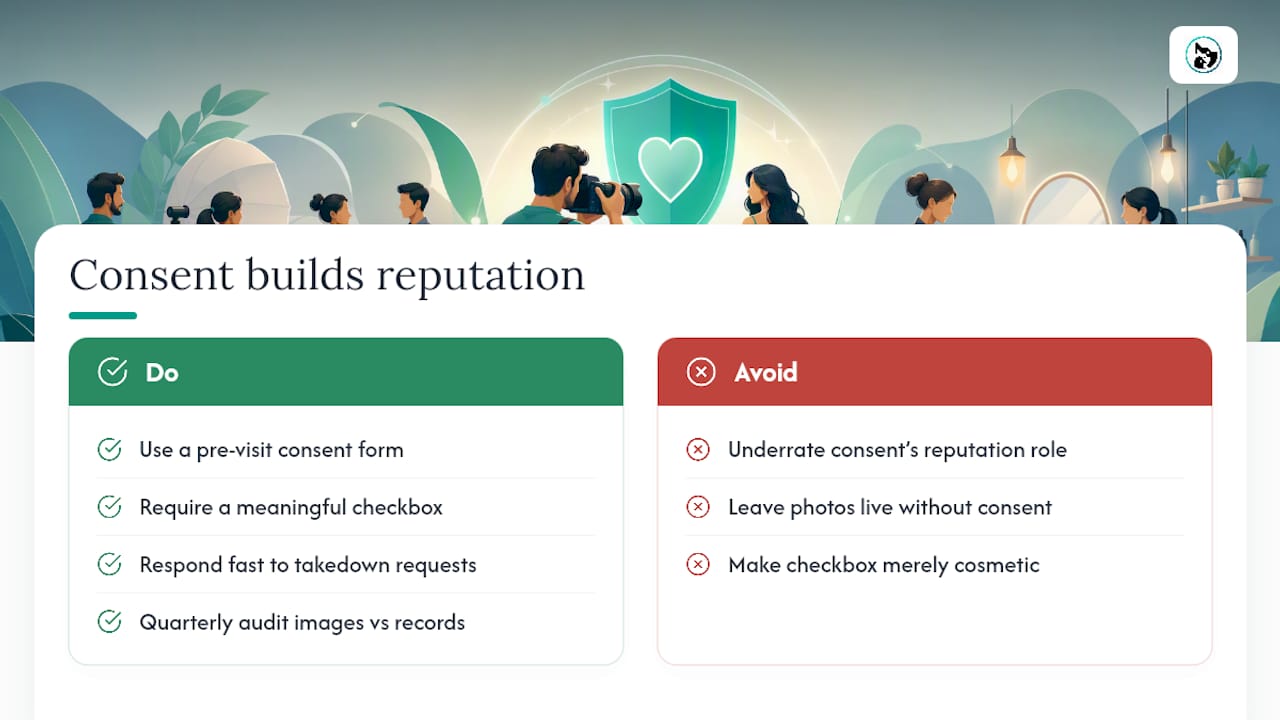
Clear consent protects your business, but it also does something a lot of providers underrate: it builds trust before a single photo goes online. A client who's asked properly, given real options, and told exactly how to say no later is a client who talks well about you afterwards.
The changes that matter most are small. A pre-visit form, a checkbox that actually means something, a fast response when someone asks you to take a photo down. None of that is complicated, and all of it compounds. Run a quarterly audit of your image library against your signed consent records. You'll usually find a few that shouldn't still be live.
— AnimalBooking
Manage consent without the admin headache
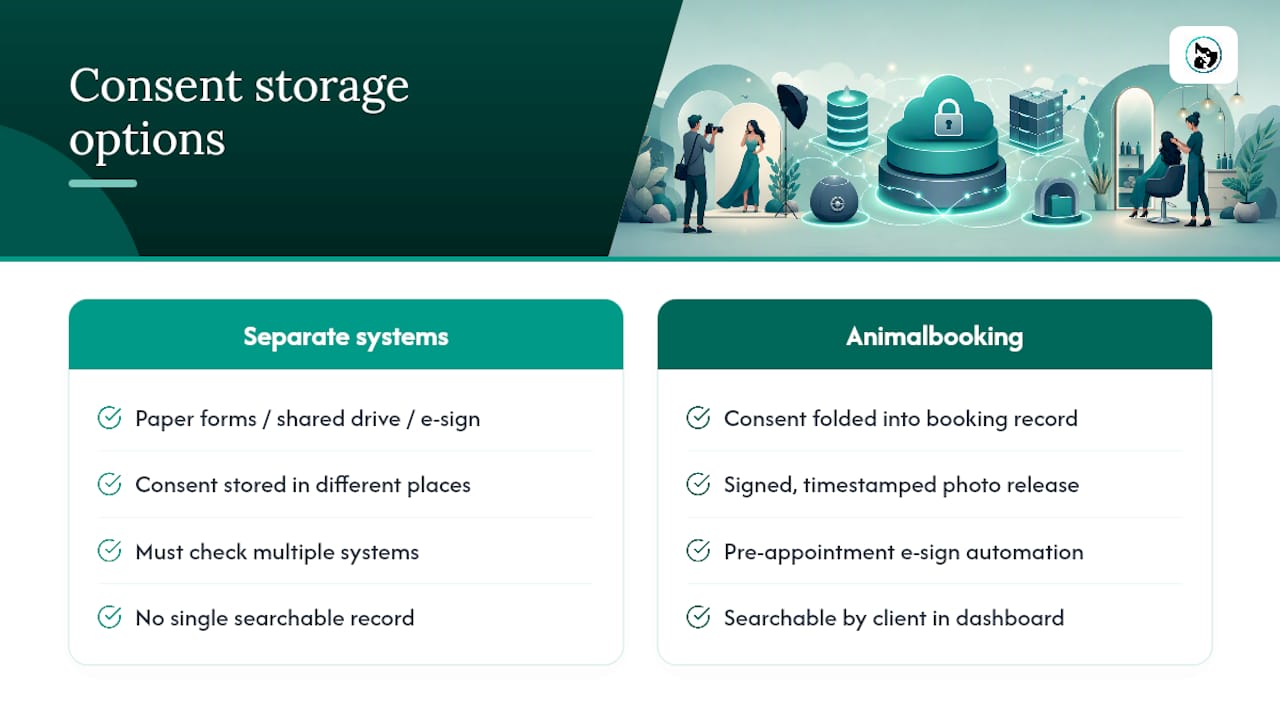
There are other ways to handle this: paper forms filed by hand, a shared drive with a naming convention, a standalone e-signature tool bolted onto your booking process. Each works, but each also means checking two systems every time a client asks "did I actually agree to that?"
Animalbooking folds the consent step straight into the booking itself. A signed, timestamped photo release attaches to the same record as the appointment, so when a takedown request lands, you're not hunting through email. The booking website lets you add a consent step to confirmation flows, and online booking automation handles the pre-appointment e-signature before the client even walks in. Everything sits in one bookings dashboard, searchable by client, so proof of consent is one click away instead of a filing exercise.
If you're running a grooming business or mobile pet service and want a starting template, the grooming release form guide walks through setup. Check your booking confirmations today and see whether a consent step is already there, or whether it's the gap costing you an audit trail.
Sources
For deeper reading, Sprintlaw covers Australia-specific legal requirements, PhotoEthics explains the ethics of informed consent, and the Australian Beauty Association details treatment versus marketing consent for salons and clinics.
This article is general information, not a substitute for advice from a qualified lawyer. Consult a qualified legal professional about your own circumstances before acting on anything here.
- Photography release form in Australia: what you need to know — Sprintlaw
- The Fundamentals of Photographic Consent — PhotoEthics
- Photo Consent Forms: Your Complete 2026 Guide — Eventoly
FAQ
Are you allowed to take photographs of clients without their consent?
No, not for commercial or marketing use. Capturing an image without consent, and publishing it, are separate risks, and both need explicit permission under Australian guidance from Sprintlaw.
How do I give permission for photos to be used?
Sign a written consent form that names the specific channels (website, social media, print, advertising) and states the duration, rather than a verbal "yes" or a general tick box buried in intake paperwork.
Is it legal to post client photos on social media without their consent?
Generally no. Marketing consent must be separate and explicit from treatment or intake consent, and posting without it carries real legal and reputational risk, according to the Australian Beauty Association.
Is it illegal to take a photo of someone without consent in Australia?
It depends on the context. Photographing someone in a public place is often legal, but using that image commercially, or photographing someone in a private setting like a salon or studio, requires written consent under the guidance covered above.
Can a client withdraw photo consent after signing?
Yes, and withdrawal should be as simple as giving consent in the first place. It stops future use immediately, though it typically can't undo screenshots or reposts already made by third parties, per Web60's guidance on revocation.