
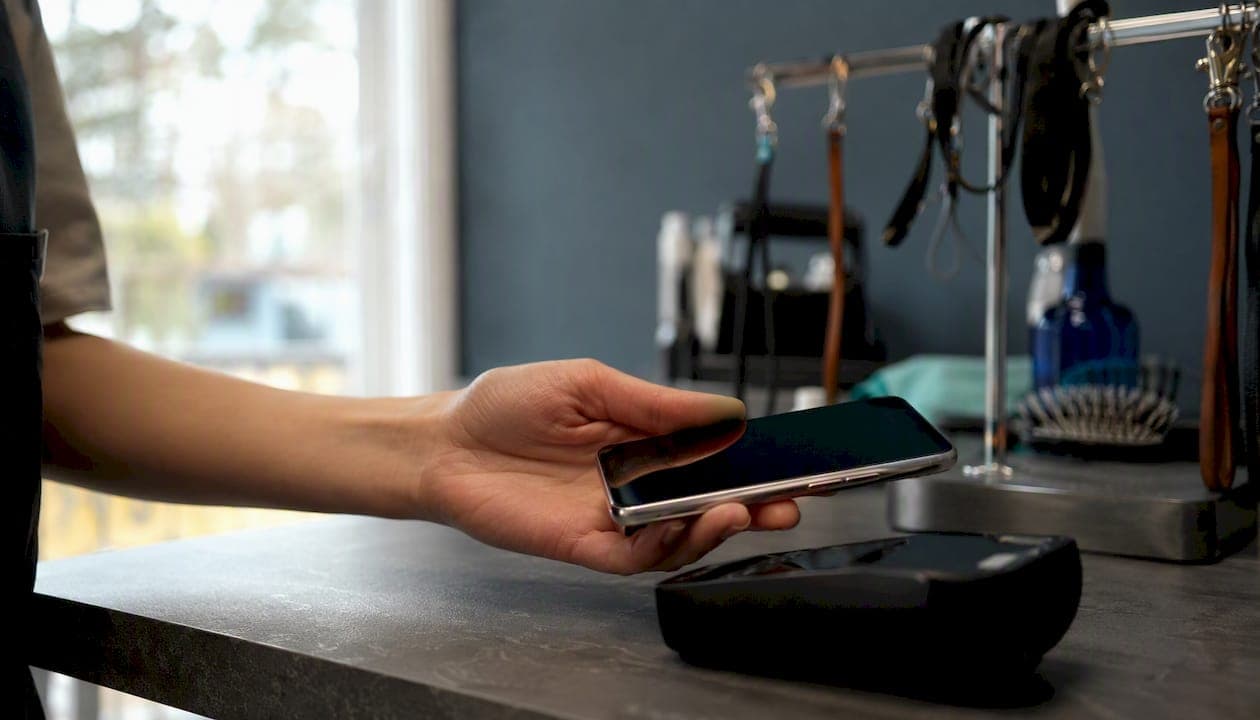
A card-on-file (also called a stored credential) is a payment card detail saved by a merchant or their payment provider so it can be charged again later, with or without the customer present. The industry term you'll see in processor documentation is "stored credential transaction," and the single most important thing you can do before using one is to never store the raw card number yourself. Use tokenisation or an outsourced vault instead.
Three things to act on now:
- Use a token vault. Let a PCI-compliant payment service provider (PSP) hold the card data. You store a token, not a card number.
- Get explicit consent. Every stored-credential arrangement requires the cardholder's written or online agreement before you charge them again.
- Outsource storage entirely. The PCI Security Standards Council is direct: the safest approach is not to store card data at all. A PCI-validated provider carries that burden for you.
Key takeaways
Card-on-file payments work safely and legally only when merchants use token vaulting, declare the correct stored-credential type on every authorisation, and hold documented cardholder consent before charging.
| Point | Details |
|---|---|
| Always use tokenisation | Store a PSP-issued token, never the raw card number, to remove most PCI scope. |
| Declare the correct label | Use CITI, CITU, CITR, MITR, or MITU on every authorisation and include the original TXID for subsequent charges. |
| Consent is non-negotiable | Document explicit cardholder consent with a timestamp before any merchant-initiated charge. |
| No-show and revenue impact | Animalbooking clients report up to 80% fewer no-shows and approximately 30% more revenue per booking using stored credentials. |
| Animalbooking simplifies setup | Animalbooking's integrated payments handle vaulting, stored-credential flags, and reminders for Australian pet-service providers. |
This article is general information, not a substitute for advice from a qualified financial advisor. Consult a qualified financial professional about your own circumstances before acting on anything here.
Table of Contents
- What is a card-on-file transaction, and what types do you need to know?
- How tokenisation, vaults, and authorisation flows actually work
- Everyday use cases where stored credentials make sense
- Why merchants adopt card-on-file: the business case
- Risks, compliance obligations, and what Australian merchants must do
- How to implement card-on-file payments: a practical checklist
- How card-on-file works for a pet-service business: an Animalbooking example
- When Animalbooking recommends using card-on-file, and when to hold off
- Animalbooking handles card-on-file so you don't have to
- Sources
What is a card-on-file transaction, and what types do you need to know?
A stored credential is any card detail saved with the cardholder's agreement for use in future transactions. The distinction that matters most operationally is who initiates the charge.
Customer-Initiated Transactions (CIT) happen when the customer is present and actively triggers the payment, such as clicking "pay now" at checkout. Merchant-Initiated Transactions (MIT) happen when you charge the card later, without the customer present, based on a prior agreement.
Both require explicit prior authorisation from the cardholder. The card networks and processors use specific labels to identify each sub-type, and you must declare the correct one in every authorisation request.
| Label | Who initiates | Example | TXID required? |
|---|---|---|---|
| CITI | Customer | First subscription sign-up, card saved at checkout | No (this creates the TXID) |
| CITR | Customer | Recurring charge the customer triggers manually | Usually yes |
| CITU | Customer | One-click repeat purchase using a saved card | Usually yes |
| MITR | Merchant | Scheduled monthly membership fee | Yes |
| MITU | Merchant | Unscheduled charge (e.g., extra services after a job) | Yes |
Visa's stored-credential framework confirms that all credentialed transactions begin with a customer-initiated event. That first CIT is what creates the agreement and the transaction ID (TXID) that anchors every subsequent charge.
How tokenisation, vaults, and authorisation flows actually work
The technical flow has four stages. Understanding them helps you know exactly what your PSP is doing on your behalf and where your obligations sit.
- Initial authorisation (CITI). The customer enters their card at checkout. You flag this as a stored-credential initial transaction. The PSP authorises the card with the issuer.
- Token vault exchange. Instead of returning the card number to you, the PSP returns a token: a surrogate value that maps to the real card in their vault. You store the token and the TXID from step one.
- Subsequent authorisation (CITU, MITR, or MITU). When you need to charge again, you send the token plus the stored-credential indicator, the reason code (scheduled, unscheduled, or customer-initiated), and the original TXID. The PSP maps the token back to the real card and submits to the issuer.
- Capture and settlement. The issuer approves or declines. On approval, the PSP captures funds and settles to your account.
Why tokenisation matters for PCI scope. When you never touch the raw Primary Account Number (PAN), you remove most of your PCI DSS obligations. Tokenisation means a data breach at your end exposes tokens, not card numbers. Stripe's guide makes this point plainly: tokenisation is both the security control and the practical compliance move for small businesses.
The role of TXID. The transaction identifier returned on the initial CIT is the reference the card networks use to link all subsequent charges back to the original cardholder agreement. Many processors require it for MITR and MITU transactions. Save it alongside the token from day one.
A typical subsequent authorisation request includes:
- Stored-credential indicator (e.g., MITR or MITU)
- Token or network token reference
- Original TXID from the initial CIT
- Amount and currency
- Merchant category code (MCC)
- Subsequent authorisation reason code
Pro Tip: Modern processors prefer explicit stored-credential indicators and TXIDs over older "recurring" flags. If your integration still uses a generic recurring flag, update it. The Payflow integration guide shows the exact field names and values.
Everyday use cases where stored credentials make sense
Stored credentials suit any situation where charging a customer again, on a known or foreseeable basis, is part of the service agreement.
Subscriptions and memberships. A dog training studio charges a monthly membership fee on the same date each month. The initial sign-up is a CITI; each monthly charge is a MITR. For pet-training businesses exploring recurring models, subscription-style training services commonly use this pattern.

Deposits and pre-authorisations for bookings. A boarding kennel takes a deposit at the time of booking. The deposit is a CIT. If the final bill differs (extra nights, additional services), the balance is collected as a MITU after checkout.

One-click repeat purchases. A pet supply retailer lets returning customers reorder food with a single tap. The saved card is charged as a CITU, with the customer present and initiating.
Ad-hoc merchant-initiated charges. A mobile groomer finishes a job and discovers the coat needed extra de-matting. With prior written consent covering additional services, they charge the difference as a MITU without calling the client.
Retainer and instalment plans. A veterinary practice splits a large treatment bill into four fortnightly instalments agreed at the time of consultation. Each instalment after the first is a MITR.
For every MIT use case, explicit written or online consent is required before the first charge. That consent must describe the amount (or how it is calculated), the frequency, and the circumstances under which you may charge without the customer present.
Why merchants adopt card-on-file: the business case
The commercial argument for stored credentials is straightforward, and it shows up quickly once you implement.
- Faster checkout. Returning customers skip card entry entirely, which reduces cart abandonment at the payment step.
- Predictable cash flow. Scheduled MITs mean revenue arrives on time without chasing invoices or waiting for clients to pay.
- Fewer no-shows and unpaid bookings. Holding a card on file at the time of booking gives you a collection mechanism if a client cancels late or doesn't show.
- Reduced manual work. No more following up on unpaid invoices by phone or email. The charge runs automatically against the stored credential.
- Higher revenue per booking. Animalbooking reports that providers using its integrated payments see approximately 30% more revenue per booking, a client-reported figure reflecting the combined effect of deposits, extras, and reduced write-offs.
The operational benefit that surprises most small-business owners is the no-show recovery. When a card is on file at booking, you can enforce a cancellation policy without an awkward conversation. The policy is disclosed at consent; the charge is automatic.
Risks, compliance obligations, and what Australian merchants must do
This is where merchants most often get it wrong, and the consequences range from chargebacks to PCI non-compliance penalties.
PCI DSS: what you can and cannot store
The PCI Security Standards Council is unambiguous: the safest option is not to store card data at all. If you must store the PAN, you must render it unreadable (truncation, encryption, tokenisation). You must never store Sensitive Authentication Data (SAD) after authorisation under any circumstances.
PCI DSS data storage rules specify exactly which elements are permitted:
Do:
- Store tokens issued by your PSP's vault
- Store the last four digits of the PAN for display purposes
- Store the cardholder name and expiry date if required for your use case
- Obtain and document explicit cardholder consent before storing credentials
- Use a PCI-validated PSP or platform to hold all card data
Don't:
- Store CVV/CVC after authorisation (ever, under any circumstances)
- Store full magnetic stripe data or PIN blocks
- Email PANs or save them in spreadsheets, CRM notes, or booking forms
- Attempt to build your own encrypted PAN vault without dedicated compliance resources
Card-network stored-credential rules
Visa and Mastercard both require merchants to notify the issuer that a transaction uses a stored credential, via the stored-credential indicator and TXID fields described above. Failing to flag a transaction correctly increases the risk of a decline or a chargeback, because the issuer cannot verify the transaction against the original cardholder agreement.
Consent wording
Australian consumer law requires clarity. Here is a short, adaptable consent text for online checkout or terms of service:
Chargebacks and disputed MIT charges
A chargeback on a merchant-initiated charge is almost always lost if you cannot produce the signed or digitally accepted consent record. Keep a timestamped log of every consent event, the amount or formula disclosed, and the TXID of the initial CIT. That paper trail is your only defence.
How to implement card-on-file payments: a practical checklist
A small business can be ready to accept and charge stored credentials in a few days to a few weeks, depending on how deeply you integrate. Here is the sequence:
- Define your use cases. Decide which transaction types you need: deposits, subscriptions, no-show fees, or ad-hoc extras. This determines which stored-credential labels you'll use.
- Select a PCI-compliant PSP or integrated platform. Look for a provider that offers token vaulting, stored-credential indicators, and TXID handling. Animalbooking's integrated payments feature covers this for pet-service providers without requiring a separate gateway integration.
- Configure token vaulting. Confirm with your PSP that raw PANs never touch your servers. Tokens should be returned to your system; card data stays in the vault.
- Build your consent UI. Add a checkbox or acknowledgement at checkout that captures the consent text described above. Store the timestamp and the consent version.
- Sandbox testing — initial CIT. Run a test CITI transaction. Confirm you receive a token and a TXID. Store both.
- Sandbox testing — subsequent MITs. Trigger a MITR and a MITU using the stored token and TXID. Confirm the correct stored-credential indicators are sent and that the processor returns a successful authorisation.
- Test decline handling. Simulate a declined card. Confirm your system retries correctly, notifies the customer, and does not charge until a valid authorisation is received.
- Enable card updater services. Most major PSPs offer an automatic card update service that refreshes stored tokens when a card is reissued. Enable it to reduce failed payments from expired cards.
- Set up automated reminders. Pair stored credentials with automated reminders so customers receive advance notice before a scheduled MIT. This reduces disputes and improves the customer experience.
- Go live and monitor. Move to production. Monitor decline rates, chargeback rates, and consent records for the first 30 days. Review your customer CRM to confirm consent records are attached to each customer profile.
Typical fee categories to budget for: transaction fees (a percentage plus a flat cent amount per transaction), vault or token storage fees (sometimes included in the platform fee), monthly platform or subscription fees, and chargeback fees if disputes arise. Review Animalbooking's pricing for a current breakdown of what's included at each plan tier.
Timeline estimate: a business using an integrated platform like Animalbooking can be live in a few days. A custom gateway integration with a standalone PSP typically takes two to four weeks, including sandbox testing and consent UI build.
How card-on-file works for a pet-service business: an Animalbooking example
Consider a dog boarding facility that takes bookings online. Before implementing stored credentials, the owner spent significant time chasing unpaid balances after check-out and writing off no-show fees because there was no card to charge.
The workflow with card-on-file looks like this:
- At booking (CITI): The client pays a deposit online. The PSP vaults the card and returns a token. The booking system stores the token and TXID against the client record.
- Pre-arrival reminder: An automated reminder goes out 48 hours before drop-off, confirming the balance due and the cancellation policy.
- At check-out (MITU): The final balance, including any extras such as additional grooming or medication administration, is charged as a MITU against the stored token. No card present required.
- No-show or late cancellation (MITU): If the client cancels within the policy window, the cancellation fee is charged automatically against the stored credential.
Animalbooking-sourced figures for providers using integrated payments:
- No-shows reduced by up to 80% (client-reported)
- Revenue per booking up approximately 30% (client-reported)
The pet boarding workflow on Animalbooking is built around exactly this sequence: deposit at booking, automated reminders, and post-service charge for extras, all tied to a single stored credential collected at the initial booking step.
When Animalbooking recommends using card-on-file, and when to hold off
Use stored credentials when:
- You take deposits or hold fees at the time of booking
- You run subscriptions, memberships, or instalment plans
- You need to charge for no-shows, late cancellations, or post-service extras
- You want to reduce manual invoicing and payment follow-up
Hold off when:
- You have not yet obtained explicit written consent from the cardholder
- Your PSP does not support stored-credential indicators and TXID handling
- You are considering storing raw card numbers yourself rather than using a vault
Pro Tip: The single biggest risk-reduction move is to never let card data touch your own systems. Use a PSP that returns a token on the first transaction and handles all vault compliance. Pair that with a card updater service and a clean consent trail, and your exposure to PCI scope, chargebacks, and failed payments drops substantially.
For setup guidance, start with Animalbooking's onboarding resources.
Animalbooking handles card-on-file so you don't have to
Pet-service providers who want card-on-file payments without a custom gateway build have a direct path: Animalbooking's integrated payments platform handles token vaulting, stored-credential flags, and automated reminders in one place.

You get deposit collection at booking, automatic post-service charges for extras, no-show fee enforcement, and a customer CRM that stores consent records against each client profile. Setup takes minutes, not weeks. There are no long-term contracts, and the platform is built specifically for groomers, boarders, trainers, vets, and equine professionals across Australia.
Ready to see how it works? Start your free trial or review the pricing plans to find the right fit for your business.
Sources
- Payflow integration guide — card-on-file
- Guide to safe payments (PCI Security Standards Council)
- Visa credentials introduction
- What Does Credit Card on File Mean? | Stripe