
An accessible booking page is one that people with disability can use on their own, from choosing a service to paying a deposit, whether they use a screen reader, a keyboard, voice control or a phone with large text. In Australia the benchmark to aim for is WCAG 2.2 at Level AA, and as the business owner you carry the responsibility even when the booking tool is built by someone else. This guide walks groomers, boarders, trainers, mobile vets and equine professionals through what that means, what to check and how to fix the usual problems.
TL;DR
- Aim for WCAG 2.2 Level AA, the minimum the Australian Human Rights Commission recommends for digital accessibility.
- If you embed a booking widget on your site, the legal responsibility for its accessibility stays with you, not the software vendor.
- The usual trouble spots are date pickers, time-slot buttons, unlabelled form fields and errors shown only in colour.
- Test with your keyboard and a screen reader, not just an automated checker, and ask clients with disability what gets in their way.
- Let clients tell you their access needs inside the booking itself, so nobody has to ring and explain separately.
Table of Contents
- What an accessible booking page actually means
- Why this is your responsibility as a business owner
- The barriers people meet when booking online
- Build the form properly
- Dates, times and time slots
- Error messages that help
- Mobile, keyboard and screen reader: a practical routine
- Testing properly, and involving real people
- Let clients tell you what they need
- Our perspective: simple, purpose-built flows are easier to make accessible
- Put it into practice with your own booking page
- Frequently asked questions
- Sources
What an accessible booking page actually means
Accessibility is not a single feature you switch on. It is a set of qualities that make a page workable for people with different abilities. WCAG 2.2, released in October 2023, organises them under four principles: perceivable, operable, understandable and robust. The Australian Human Rights Commission's guidance on standards for digital accessibility explains that these principles require interfaces to work for people with diverse needs, including those who use assistive technology.
In plain terms, for a pet-service booking page:
- Perceivable: a client can see or hear every piece of information. Service names, prices and times are real text, images have text alternatives, and contrast is strong enough to read.
- Operable: a client can do everything without a mouse. Every button, calendar day and time slot can be reached and used by keyboard, and you can always see where you are on the page.
- Understandable: labels, instructions and error messages are clear. A client knows what to enter, in what format, and what went wrong if something fails.
- Robust: the page is built with standard, correctly named elements so screen readers and other assistive tools can interpret it.
The same guidance recommends WCAG 2.2 at a minimum of Level AA as the established benchmark in Australia. Level AA is the realistic target for a small business: it is demanding enough to matter and achievable without a large development budget.
Why this is your responsibility as a business owner
Under Australian law, providers of goods and services must not discriminate against people with disability, and that includes how people access your services online. The Human Rights Commission's guidance is the starting point for understanding how that applies to websites and apps.
The point many small operators miss is about third-party tools. According to an Australian guide on website accessibility law for clinics, when a booking widget is embedded on your site, the business owner holds responsibility under the Disability Discrimination Act, regardless of whether a vendor built the software. The guide is written for health clinics, but the same logic applies to a grooming salon, a boarding kennel or an equine practice that embeds a booking form.
This is not a reason for alarm. It is a reason to ask your software provider direct questions, test the result yourself and fix what you control, such as service descriptions, images, colours and the wording of your own instructions.
The barriers people meet when booking online
Booking flows are a high-risk area because they pack several tricky components into a few screens: forms, date pickers, time selectors and payment fields. One broken element can stop a booking altogether, as an accessible booking systems guide points out. The barriers it lists will be familiar to anyone who has tried to book on a small business site:
- date pickers that cannot be operated by keyboard
- time slots that a screen reader announces as nothing useful, or not at all
- form fields without labels
- errors signalled only by a red border
The impact is real. A Swedish study cited in the same guide found that online healthcare appointments were avoided most by people with communication, language and calculation impairments, intellectual impairments and visual impairment. That is healthcare, not grooming, but the lesson carries over: if the booking step is hard, people simply do not book, and you never learn why.
Research on public digital services also shows the problem is common. A review of eHealth services and accessibility found that accessibility guidelines and standards were used to a very limited extent when such services were developed and evaluated, and that studies had found accessibility errors in them. Do not assume a polished-looking page is an accessible one.
Build the form properly
Most booking pages ask for the same things: client name, contact details, pet name, breed or size, service, date, time and notes. Each one is a chance to help or to block.
Labels and hint text
Every field needs a descriptive label that stays visible and is connected to the field in the code, so a screen reader reads it out when the client lands on it. Do not use placeholder text as the only label, because it disappears as soon as someone types.
Where a format matters, add hint text. Examples for a pet business: "Mobile number, for example 0412 345 678" or "Pet's weight in kilograms". The Australian Government's Department of Agriculture design system notes that hint text can reduce cognitive load and make form-filling easier for people with cognitive and learning disabilities. Clear hints also help the client who is simply booking on a phone while holding a lead.
Logical order and visible focus
The order in which a keyboard user moves through the form must match the order on screen. The booking guide above also stresses a consistent focus order, a visible focus indicator on every control, and interactive elements that are identified by name, role and value. If you can tab through your booking page and lose track of where the cursor is, a keyboard user cannot complete it.
Ask for less
Every extra field is another place to fail. Keep the required information to what you need to confirm the appointment. Optional details such as vaccination history or grooming preferences can sit in a separate, clearly marked section or be collected after the booking is made.
Dates, times and time slots
The calendar is where many booking pages break. Check these points:
- Keyboard use. You can move between days with the arrow keys, select a day with Enter or Space, and close the calendar without getting stuck.
- Accessible names. Each time slot is a real button or option with a name that makes sense when read aloud, such as "Thursday, 10:30 am, available". A string of identical, unnamed buttons is useless to a screen reader user.
- State is announced. Unavailable or already selected slots are described in text, not just greyed out or highlighted.
- A typed alternative. Where possible, allow the client to type a date in a clear format as well as choose from a calendar.
For grooming and boarding, remember that many bookings involve multiple choices, such as a service, a groomer, a pet size and an add-on. Present them in a simple sequence, one decision at a time, so a client using a screen reader or magnification does not need to hunt around a crowded page.
Error messages that help
If a client leaves out a phone number or picks a slot that has just been taken, the page needs to say so clearly. The guidance gathered in the booking guide is that error messages must be conveyed in text, name the specific field, and not rely on colour alone. "Enter a mobile number so we can send your reminder" is far better than a red outline and the word "Invalid".
Move the focus to the error summary or the first problem field so a screen reader user hears it straight away, and keep what the client already typed. Nobody wants to re-enter a pet's details because of one missed field.
Mobile, keyboard and screen reader: a practical routine
Most clients book from their phone, and that is also where many people with disability do their booking. For a small business without a developer, three simple checks reveal most problems.
On a phone
Open your booking page on a phone and increase the text size in the device settings. Does the layout still work? Can you tap every button without hitting its neighbour? Is any content cut off or hidden behind a floating banner? Try it in bright sunlight, too: low-contrast grey text on white is the first thing to vanish outdoors.
With a keyboard only
On a computer, put the mouse aside and use Tab, Shift+Tab, Enter, Space and the arrow keys to complete a booking from start to finish, including payment. Note anywhere you cannot reach a control, cannot see where you are, or cannot get out of a pop-up. The South Australian Online Accessibility Toolkit lists keyboard-only navigation as a core manual check.
With a screen reader
Try the booking with a screen reader, such as the one built into your phone or computer. Listen for fields without labels, buttons announced only as "button", and error messages that never get read out. It takes practice and your first attempt will feel clumsy, which is itself useful: it shows how hard unclear markup is for someone who relies on it every day.
Also check colour contrast, and make sure no information is carried by colour alone, such as green meaning "available" and red meaning "full" with no text to say so.
Testing properly, and involving real people
Automated checkers are a sensible first pass, but they are only a start. Digital NSW is clear that manual testing with keyboard and assistive technology is essential to ensure a service is accessible to everyone. The South Australian toolkit likewise recommends combining automated tools with manual checks and involving people with disability in user research.
For a small pet business, a practical version looks like this:
- Run a free automated checker over your booking page and fix the obvious errors.
- Complete a full booking by keyboard only.
- Complete one with a screen reader and one on a phone with enlarged text.
- Ask a few clients or friends who use assistive technology to try it and tell you honestly where it fails. Offer them something for their time.
- Repeat after any major change to your booking set-up, service list or website design.
Queensland Government guidance on taking bookings via an app or website also recommends co-designing booking systems with people with disability and the advocacy sector to find barriers early. Even informal feedback from your own clients helps.
Let clients tell you what they need
Accessibility is not only about code. It is also about whether a client can tell you what they need, and whether you act on it. The same Queensland guidance, written for transport providers, sets out a principle that applies well beyond taxis: customers should be able to specify accessibility needs or ask for assistance before they finalise a booking, and should not have to use a separate method to do it. Follow-up phone calls are the example of what to avoid.
For a pet business, that can look like:
- an optional "Anything we should know to make your visit easier?" field on the booking form, with a note on how you will use the answer
- a clear description of your premises, such as parking, steps, entry doors and waiting areas, on the page where the client chooses a service
- for mobile services, a space to describe access to the client's home or property
- a named contact and a clear promise to confirm any arrangement before the appointment
When a client does tell you something, record it where the whole team will see it on the day, and confirm back that you have understood. A note that nobody reads is worse than no field at all.
Our perspective: simple, purpose-built flows are easier to make accessible
We build booking software for animal businesses, and what we see is that the less a booking flow tries to do, the better it works for everyone. Generic scheduling tools often ask clients to wade through options that make no sense for a dog groomer or an equine trainer. Purpose-built workflows for animal services, where the page asks about the pet, the service and the time and little else, mean fewer fields, fewer decisions and fewer places to go wrong.

That is why we focus on a short set-up, in the range of 10 to 15 minutes to go live, and on a branded booking website on your own domain. When you control the wording, the service descriptions, the images and the information on your page, you control a large share of what makes a page understandable. Automated reminders reduce no-shows, and they also give you a natural place to repeat the practical details a client may need, such as arrival instructions.
Our view is simple: accessibility should be part of how a small business runs its bookings, not a project for a specialist. Choose tools built around clear steps, check them the way your clients will use them, and keep improving.
— AnimalBooking
Put it into practice with your own booking page
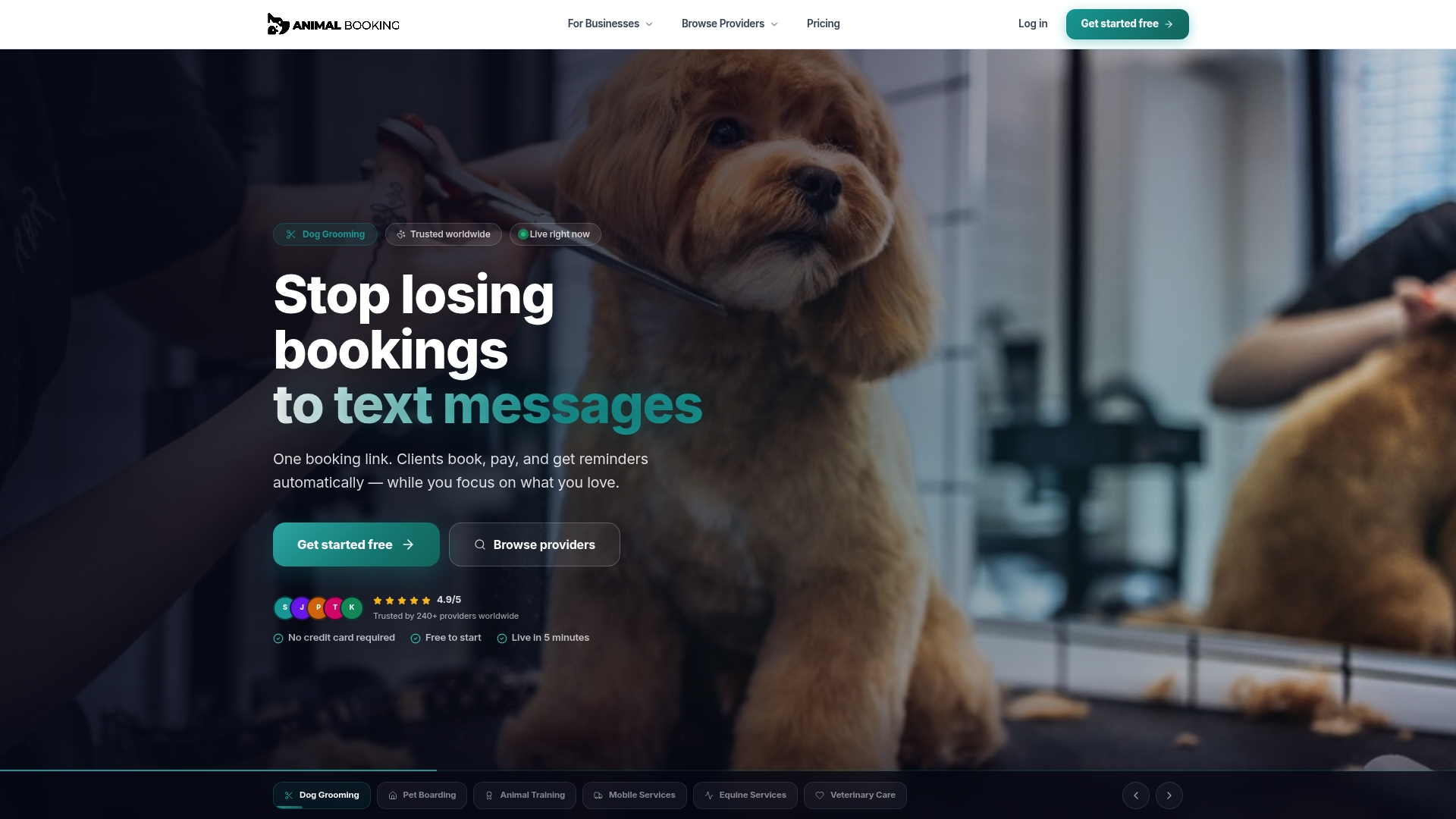
If you are still taking bookings by text, phone and spreadsheet, moving to an online page gives you a single place to get the wording, structure and information right. Our online booking feature handles scheduling, and a branded booking website lets you present your services on your own domain. Plans start with a Starter tier, and the Independent plan is listed at $49 per month on our pricing page.
Whichever tool you choose, run the keyboard, phone and screen reader checks above on the live page before you promote it, and again whenever you change your services.
Frequently asked questions
Do I have to make my booking page meet WCAG?
Australian law requires providers of goods and services not to discriminate against people with disability. The Australian Human Rights Commission recommends WCAG 2.2 at a minimum of Level AA as the benchmark for digital accessibility. Treat that as your target, and seek advice from a lawyer or accessibility specialist if you have a specific concern.
If my booking software is made by another company, am I still responsible?
An Australian guide for clinics says that, for a widget embedded on your website, the business owner holds responsibility under the Disability Discrimination Act regardless of who built the software. So ask your provider how they approach accessibility, test the page yourself and fix what you control.
What is the quickest way to find problems on my booking page?
Complete a whole booking using only your keyboard, then repeat it on a phone with enlarged text and with a screen reader. Digital NSW advises that automated tools are only the starting point and manual testing is essential. Fix whatever blocks you, starting with the date and time selection.
How should error messages be written?
They should appear as text, name the specific field and explain how to fix it, rather than relying on a colour change alone. For example, "Enter your pet's name" beside the field is better than a red box. Make sure a screen reader announces the message.
How can clients tell me about their access needs?
Add an optional field in the booking form itself, so nobody has to call separately. Queensland Government guidance recommends letting customers specify accessibility needs before they finalise a booking. Then record the answer where your team will see it and confirm the arrangement with the client.
Sources
- Standards and Guidelines on digital accessibility, Australian Human Rights Commission
- Website accessibility law for Australian clinics
- Accessible Online Booking Systems: A Complete Guide
- Development and Evaluation of eHealth Services Regarding Accessibility
- Date picker accessibility, Agriculture Design System
- Online Accessibility Toolkit, South Australian Government
- Accessibility testing, Digital NSW
- Taking bookings via an app or website, Business Queensland